How to choose a ghost mannequin service for apparel · 14 min read
How to Choose a Ghost Mannequin Service for Apparel
Compare ghost mannequin photography vs editing vs AI-assisted routes. Agree views, inserts, neck joints, and QC before you price a catalogue batch.
By Surajnarayanan SUpdated
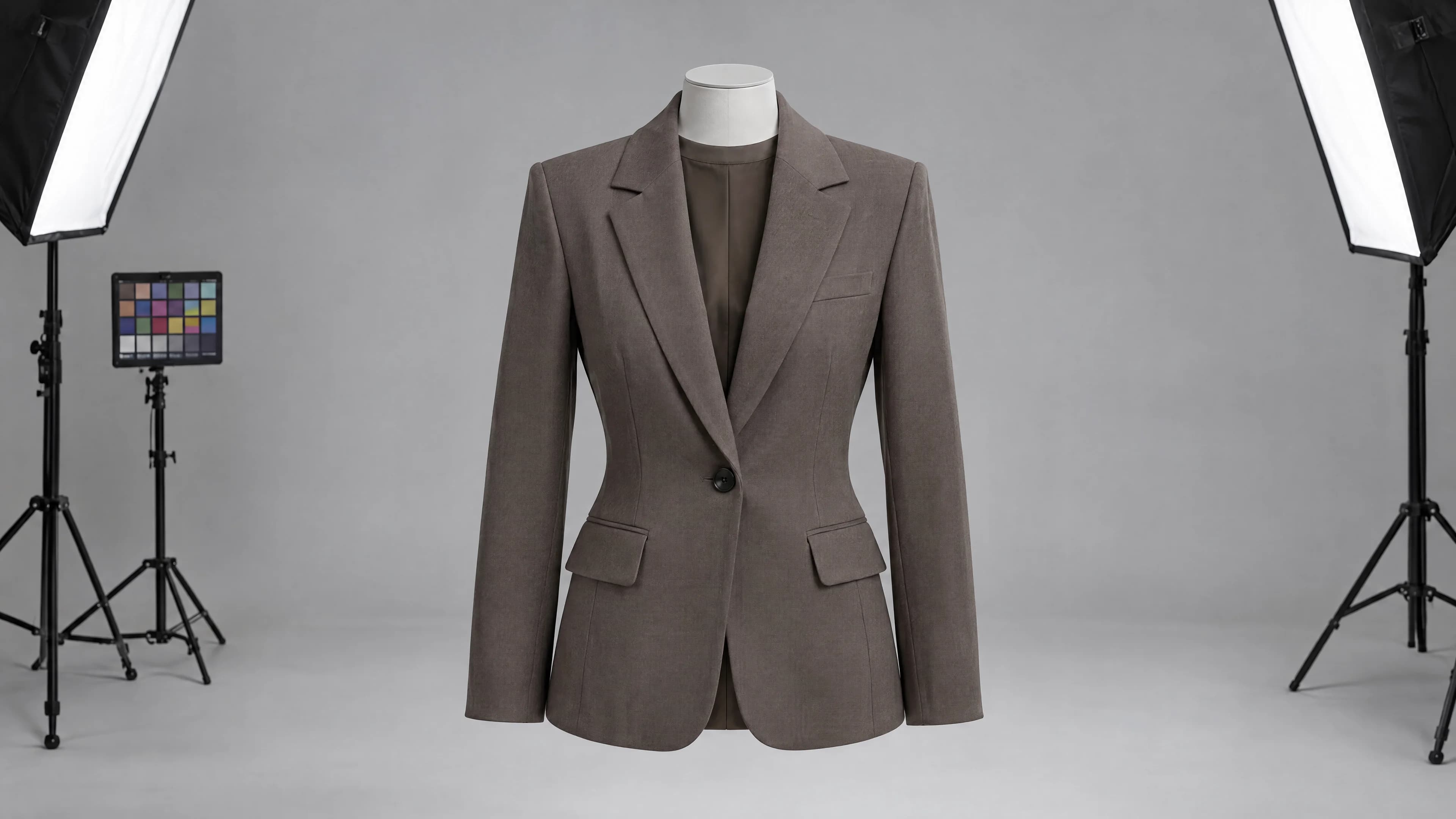
At a glance
- Use on-model as the main apparel image and ghost mannequin for clean, consistent garment views. Many product pages need both.
- Decide whether you need photography, photo editing, or an AI-assisted route.
- Agree views, inserts, neck joints and QC before you price a catalogue batch.
- Pilot a difficult garment first, including a hard opening or fabric, before the full batch.
8M Studio is a managed production studio. This guide is still useful if you compare other suppliers and do not hire us.
Direct answer
Choose a ghost mannequin service by checking what it actually supplies: photographing garments, editing existing photographs, or producing an AI-assisted result. The final image should show the garment without a visible mannequin while preserving the product details supported by your references. Before comparing prices, agree the required views, interior source images, neckline treatment, correction rules and delivery files. Test a representative garment, including a difficult opening or fabric, before sending a full catalogue batch.
Best for
- +Fashion ecommerce teams comparing ghost mannequin photography and editing suppliers
- +Catalogue teams with existing garment photographs that need consistent presentation
- +Production leads setting neck-joint review and delivery requirements
Not designed for
- -Proving garment fit, movement or measurements from an image alone
- -Approving hidden construction that no product reference shows
- -Assuming every AI production provider also runs a physical photography studio
Ghost mannequin or on-model: which should you use?
Use on-model as the main image when shoppers need to judge fit, length and how the fabric falls on a body, which is most apparel. Use ghost mannequin when the job is to show the garment itself: its shape, neckline, openings and construction, with nothing else in the frame. Most fashion product pages work best with both. An on-model main image comes first, followed by ghost mannequin, back and detail views of the same variant.
Ghost mannequin is usually simpler to run across a large catalogue, because there is no casting, styling or talent to manage, and every SKU sits on the same form. That consistency helps on category grids and marketplaces. On-model takes more to produce, but it answers the question shoppers ask most often: how will this look when I wear it? Neither format replaces a size guide or real measurements.
Check the channel before you decide which image leads. Google Merchant Center asks that each image accurately shows the product, shows only the variant being sold, and that the product fills between 75 and 90 percent of the frame (checked 6 October 2026). Marketplaces have their own main-image rules, so confirm each one. If you're converting existing mannequin or flat lay photos into on-model views, the route is in mannequin and flat lay to on-model at scale.
| Ghost mannequin (photographed and edited) | AI ghost mannequin (generated) | On-model (photographed) | On-model (AI from product photos) | |
|---|---|---|---|---|
| Best at showing | Shape, neckline, openings and construction | The same, when the source photo supports it | Fit, drape and styling on a real sample | Fit and styling across many SKUs without a shoot |
| What you need | The garment, a mannequin, a main shot and an interior insert | Clear product photos, plus an interior shot for any neck detail you must show | Samples, a model, a studio and styling | Approved product photos (mannequin, ghost or flat lay) and a locked view list |
| Main risk | A visible join, or an insert from the wrong variant | An invented label, lining or collar, smoothed texture, or a shape fuller than the real garment | The sample differs from production stock, or styling hides details | The garment drifts: print, colour, trims or closures change |
| Who has to check it | The editor, then a brand reviewer | A reviewer, against the real garment or reference shots | The brand on set and in retouching | A reviewer, against the product pack, on every frame |
| Typical product page slot | Secondary views, category grids, packshot-led marketplaces | The same as ghost mannequin, once verified | Main image and lifestyle | Main image and extra views |
| Labelling for Google Shopping | Not needed | Keep the IPTC DigitalSourceType metadata | Not needed | Keep the IPTC DigitalSourceType metadata |
Check whether you need photography or photo editing
A ghost mannequin image presents clothing as though an invisible form were wearing it. A neck joint is the join around an opening where an editor brings the inner garment into view after removing the mannequin. Suppliers may also call the work invisible mannequin editing or a neck-insert service. The method and its terms are explained in what is ghost mannequin photography?.
A photography studio can receive the garment, prepare it, shoot the agreed views and arrange editing. A photo editing service works from images you supply. It cannot photograph an absent lining or check a label against a garment it has never received. Ask who handles those missing inputs before shipping products or uploading files.
Agree what a finished unit means. One front image, a front-and-back pair and a set with detail views require different work. Channel crops and layered source files should also be named in the quote.
Choose the image format for the question it must answer
Ghost mannequin, flat lay and on-model are ways of presenting clothing. Photography, compositing and AI generation describe how an image is made. Keep those decisions separate when comparing suppliers. When a Shopify PDP needs an on-model batch rather than a ghost still, the commercial programme is Shopify batch on-model AI product photos. Ghost mannequin remains a legitimate choice when a worn view is not required. When the brief is a launch family rather than a still, the route chooser is AI campaign vs catalogue production. When the prior question is whether this brief should use AI at all, the decision boundary is when not to use AI fashion images. When buyers mix a shopper try-on with finished on-model assets, the route distinction is virtual try-on vs on-model catalogue imagery. When the commercial question is a fashion shoot versus a managed AI programme, the cost-driver comparison is fashion shoot cost vs AI production.
| Format | Useful when the shopper needs to see | What it cannot establish alone |
|---|---|---|
| Ghost mannequin | Garment outline, openings and visible construction without a person | How the garment fits or moves on a particular body |
| Flat lay | An unobstructed layout, graphic placement or product grouping | The worn volume of a garment |
| On-model | Styling, proportion and how a photographed sample sits on the shown person | Fit across every size, or unpictured movement |
| Detail view | A closure, texture, seam, lining or other specific feature | The complete silhouette or overall length |
Match the starting point to a production route
The right supplier depends on what you already have and what the shopper still needs to see. A quote that mixes capture, hollow-form editing and on-model work without naming those jobs is not comparable.
If shoppers need to see a person wearing the product, or if the work is a recurring catalogue programme, start with AI Catalogue Production rather than treating every SKU as a ghost mannequin job.
| Starting point | Typical route | Where to go next |
|---|---|---|
| Undressed garments that still need capture | Photography plus post-production | Brief the views, then shoot and retouch |
| Mannequin or flat-lay images that need a hollow form | Ghost mannequin editing or AI-assisted reconstruction | Confirm inserts, neck joints and verification |
| Shoppers need to see a person wearing the product | On-model catalogue programme | AI Catalogue Production |
| Recurring SKU volume with review and delivery | Managed production programme | AI Catalogue Production for the operating route |
Send references that support the finished view
For conventional compositing, the editor needs the main garment photograph and an insert showing the area hidden by the mannequin. Pixelz's official ordering instructions specify at least a main image and an insert, and support combinations of two to five images. That describes its service, not a universal requirement for every method. Confirm the source pack with your chosen supplier.
Check the pack while the garment is still available. Include the required front and back views, interior openings and any critical label, trim or print detail. Keep each image tied to the right SKU and colourway.
Photograph a missing reference when practical. Reusing an insert from another colourway can introduce the wrong lining or label. If the only image is a compressed listing thumbnail, ask for an input review before accepting a production quote.
Compare the production methods honestly
The decisive question is whether the finished garment remains supported by the source material. An attractive result can contain an invented seam, altered neckline or smoother texture than the product has. Review that risk for both manual retouching and AI-assisted work.
| Method | What the buyer supplies | What to verify |
|---|---|---|
| Physical capture and retouching | Garments, preparation instructions and a shot brief | Capture scope, insert coverage, styling changes, retouching and reshoot responsibility |
| Compositing supplied photographs | Matched main and interior photographs | Correct variant, clean joins, preserved construction and a route for missing inputs |
| AI-assisted editing or reconstruction | Usable images and references for the details that must remain faithful | Which regions are generated, what can be checked, disclosure requirements and human review |
Compare a self-serve tool with a managed studio
A self-serve tool can be useful when an experienced internal team already owns prompting, selection, product-truth checks, exception repair and channel packaging. A managed studio is useful when one party must operate the route and stand behind the reviewed files.
Do not treat a one-click hollow-form preview as a catalogue production system. Ask who is accountable when a join fails, who holds a SKU that cannot be verified, and who retains the required generative-AI source metadata for Shopping data.
If the decision is the operating model itself—self-serve AI fashion tools versus a managed production studio—use the dedicated comparison hub. This section only covers how that choice appears in ghost mannequin work.
| Decision | Self-serve tool | Managed studio |
|---|---|---|
| Accountability | The buyer operates the tool and owns the finished image | The studio operates the agreed route and owns reviewed delivery within scope |
| Exceptions | The buyer diagnoses, regenerates, retouches or rejects failures | The studio corrects, holds or rejects through a named path |
| Product truth | The buyer supplies reviewers and the acceptance standard | Human QC compares outputs with the source pack before release |
| Gen-AI labelling | The buyer must retain required source metadata through export | Delivery should include the agreed provenance metadata for generated regions |
Can AI make ghost mannequin images?
Yes. Several self-serve tools now generate ghost mannequin images, and some work from a single photo. Photoroom says its Ghost Mannequin tool accepts a flat lay, hanging, mannequin or model photo and reconstructs hidden parts of the garment. WearView says its generator builds the hollow 3D shape from one flat photo (both pages checked 6 October 2026). So AI is a real option at catalogue volume. The useful question is which parts of each image come from your photo and which parts the model has made up.
Anything your photo shows, such as the outside fabric, the print and the outline, can come through well. Anything it doesn't show is a guess. A guess can look perfectly convincing and still be wrong about your product.
Where AI ghost mannequin works well
- Plain tees, sweatshirts, knitwear and other simple tops where the neckline is visible in the source photo.
- Making a large catalogue look uniform: same form, same angle, same background.
- Turning hanger or flat lay shots into a hollow-form view for category grids.
- Refreshing an older catalogue that was shot on different mannequins.
Where it needs human QC
- The inside back neck. Labels, size tabs and lining colour are usually hidden in a front photo, so whatever appears there was generated.
- Collars, plackets and lapels. Button count, collar roll and lapel shape can change.
- Sheer, lace, mesh and textured knits. Texture can be smoothed out or replaced with a pattern the fabric doesn't have.
- Stripes and prints that cross seams. They can misalign or repeat.
- The silhouette. It can come out more symmetrical or fuller than the real garment, which misleads shoppers about fit.
- Hoods, drawstrings, zips and pocket openings.
- Colour. Check every colourway against a reference, not against the other outputs.
A QC routine that keeps AI ghost mannequin honest
Compare every output with the source photo and a reference of the real garment. Ask the tool or supplier which regions were generated. Hold any view where a label, lining or closure can't be checked, and shoot an interior insert for the necklines you must show. Keep the IPTC DigitalSourceType metadata on generated images, which Google Merchant Center asks merchants to preserve. The working checks are on the AI fashion imagery QC checklist.
Treat a single-image result as something to verify
Some tools and suppliers offer a ghost mannequin result from one image. When the source does not show an inner collar, the result may reconstruct that region rather than recover the actual garment detail. This can be useful for a concept, but a product page needs a reference that supports what the shopper is shown.
Ask the supplier to identify generated areas. Check lining colour, brand labels, inner seams and opening shape against an approved product reference. If a critical detail cannot be checked, request another image or hold that view.
Agree a workflow before the full batch
| Step | What happens |
|---|---|
| 1. Review inputs | Match SKU, variant and view. Resolve missing interior references before production. |
| 2. Approve a sample | Agree shape, opening treatment, background and permitted retouching on a representative garment. |
| 3. Review the batch | Compare outputs with references. Record accept, rework or hold decisions and the responsible person. |
| 4. Check delivery | Release approved versions with the agreed crops, filenames, formats and source metadata. |
Scope brief / Before you price
Agree these items before a catalogue quote
Illustrative production brief for a ghost mannequin batch, not a client case study or a priced offer.
Required views
Name the finished front, back, detail and channel crops before comparing quotes.
Inserts and interiors
Confirm which openings need a matching interior source while the garment is still available.
Neck joints
Define how the inner collar, facing or label should appear after the form is removed.
QC and delivery
Record accept, rework and hold rules, plus filenames, formats and generative-AI metadata.
ControlA quote is comparable only after these items are named. Illustrative brief, not a universal rate card.
Use a neck-joint example to make approval specific
Illustrative example, not a client case study: a striped shirt has a front photograph and a matching inside-neck insert. Review the join at working resolution and then at the size shoppers will see.
| Decision | Observation | Next action |
|---|---|---|
| Accept | The insert matches the garment; the join is clean and the visible label and seam agree with the reference | Record approval, then complete the remaining view and delivery checks |
| Rework | The correct insert is available, but a halo or abrupt shadow exposes the join | Return the marked region to the editor and review the correction |
| Hold | The interior reference is missing or belongs to another variant | Request the correct source or an authorised product decision before continuing |
Compare quotes using the same finished image set
Give each supplier the same representative pack and list the final views you need. Ask which normal corrections are included, what triggers a new charge, and whether a missing source stops one SKU or the entire batch.
- Who checks that the supplied garment, variant and insert belong together?
- Which source problems require another photograph, and who arranges it?
- Are layered files included, or only flattened final images?
- How are corrections, new creative requests and extra views priced?
- Who approves the sample, and when does the delivery schedule start?
Check channel requirements before export
Keep a delivery specification for each destination. Google Merchant Center asks that the image accurately shows the product, shows only the single variant being sold (not several colourways together), and that the product fills between 75 and 90 percent of the frame. It also says the IPTC DigitalSourceType value on images made with generative AI should be preserved (checked 6 October 2026). Check each marketplace's own main-image rule before you decide whether a ghost mannequin image can lead the listing.
Start with a representative input review
Choose a garment that reflects the work you will actually send, including an ordinary difficult detail. 8M Studio's AI Catalogue Production is a managed image-production service. Share product images, required views and acceptance criteria for an input review, or book a production-fit call if the batch is easier to explain live.
This guide does not promise that every ghost mannequin request can be produced from the inputs available.
Frequently asked questions
Is a ghost mannequin service the same as background removal?
Background removal isolates the visible garment. Ghost mannequin work also removes the form and may reconstruct openings using interior photographs or another production method. Confirm whether neck inserts, sleeve openings and other joins are included.
How many source images do I need?
Ask your supplier to review the garment and required view. Conventional compositing uses a main image and an insert showing the hidden region. A single-image offer uses a different method and still needs a way to verify reconstructed details.
Does ghost mannequin photography show accurate fit?
It can show the outline and visible construction of the prepared garment. It cannot establish how the item fits every body or moves during wear.
Can AI replace a missing inside-neck photograph?
AI may generate a plausible interior, but plausibility does not confirm the actual lining, seam or label. Hold the image when an important detail cannot be verified.
Can a traditional studio handle recurring catalogue volume?
Yes. Assess preparation, capture capacity, editing, review and delivery together.
Is 8M a self-serve tool?
No. 8M Studio is a managed production studio. Clients do not buy access to software; the studio operates a reviewed production route from agreed inputs to approved delivery.
When should I photograph garments instead of editing existing images?
Photograph the garments when you still need capture, missing interior references, or a check against the physical product. Editing or AI-assisted reconstruction is only as strong as the photographs you already have.
Should a ghost mannequin image be the main Merchant Center image?
Not automatically. Google Merchant Center asks for an image that accurately represents the product and shows only the variant being sold. Check the current main-image rule for each channel, and use an on-model image as the lead when shoppers need to judge fit.
What is a neck joint?
A neck joint is the join around an opening, usually the neckline, where an editor brings the inner garment into view after removing the mannequin. The same idea can apply to sleeves, hems or other openings.
Is ghost mannequin or on-model better for fashion product pages?
On-model is usually the better main image for apparel, because shoppers want to see fit and drape on a body. Ghost mannequin is better for showing the garment's shape and construction cleanly and for keeping a large catalogue consistent. Many brands use both on the same page.
What is ghost mannequin photography?
Ghost mannequin photography shows clothing as if an invisible form were wearing it. The garment is shot on a mannequin, the mannequin is removed in editing, and an interior shot is often joined in so the neckline and openings look complete. It is also called invisible mannequin or hollow man photography.
Can AI make ghost mannequin images from a flat lay or a single photo?
Yes. Several tools offer this, including Photoroom and WearView. The outside of the garment can come through well, but any area the photo doesn't show, such as the inside neck, label or lining, is generated, so check those areas against the real garment before you publish.
Are AI ghost mannequin images accurate enough for ecommerce?
They can be for simple garments, as long as a reviewer checks each image against the product. Accuracy drops on collars, plackets, sheer or textured fabrics and prints that cross seams. Treat accuracy as the result of review, not as a setting in the tool.
Do AI-generated ghost mannequin images need to be labelled?
For Google Shopping, keep the label in the file. Google Merchant Center says the IPTC DigitalSourceType metadata on images made with generative AI should be preserved. Check each marketplace's own rules as well.
Can I use ghost mannequin and on-model images on the same product page?
Yes. A common pattern is an on-model main image followed by ghost mannequin, back and detail views of the same variant. Keep the colourway identical in every image of the set.
Who owns exceptions in a self-serve tool versus a managed studio?
In a self-serve tool, the buyer diagnoses, repairs or rejects failed joins. In a managed studio, the provider should correct, hold or reject exceptions through a named path before delivery.
What should I send for an input review?
Send representative product images, the required views, interior references where they exist, and the acceptance criteria for neck joints, corrections and delivery files. Include at least one difficult opening or fabric from the real batch.
Can every ghost mannequin request be produced from the inputs available?
No. This guide does not promise that every request is producible. If a critical interior, label or construction detail cannot be verified from the source pack, hold that view or capture another photograph.
Evidence and sources
- Commerce images must accurately display the product and meet channel image requirements. Verified 2026-08-05.
- Google requires generative-AI product images used in Shopping data to retain the IPTC DigitalSourceType TrainedAlgorithmicMedia metadata tag. Verified 2026-08-13.
- Pixelz's official Invisible Mannequin ordering instructions specify at least a main image and an insert, and support combinations of two to five images. Verified 2026-09-18.
- Pixelz Invisible Mannequin Order - Primary vendor instructions describing a main image plus insert for conventional invisible-mannequin compositing; reviewed 18 September 2026.
- Google Merchant Center image requirements - Primary channel guidance: accurate representation, one variant per image, product filling 75–90% of the frame, and preserving IPTC DigitalSourceType on generative-AI images. Checked 6 October 2026.
- 8M Studio AI Catalogue Production - Managed catalogue production route used as the studio's on-model and recurring-volume starting point.
- Photoroom AI Ghost Mannequin - Vendor page: accepts flat lay, hanging, mannequin or model photos and reconstructs hidden garment parts with AI. Checked 6 October 2026.
- WearView AI Ghost Mannequin - Vendor page: builds a hollow 3D ghost mannequin shape from a single flat photo. Checked 6 October 2026.
- AI fashion imagery QC checklist - 8M Studio's working checks for generated garment regions before release.