Virtual try-on vs on-model catalogue imagery · 11 min read
Virtual Try-On vs On-Model Catalogue Imagery: Two Jobs, Two Routes
A route guide for fashion teams separating a shopper fit experience from finished on-model catalogue assets, and mapping the imagery job to AI Catalogue, AI Campaign, or Custom Systems.
By Surajnarayanan SUpdated
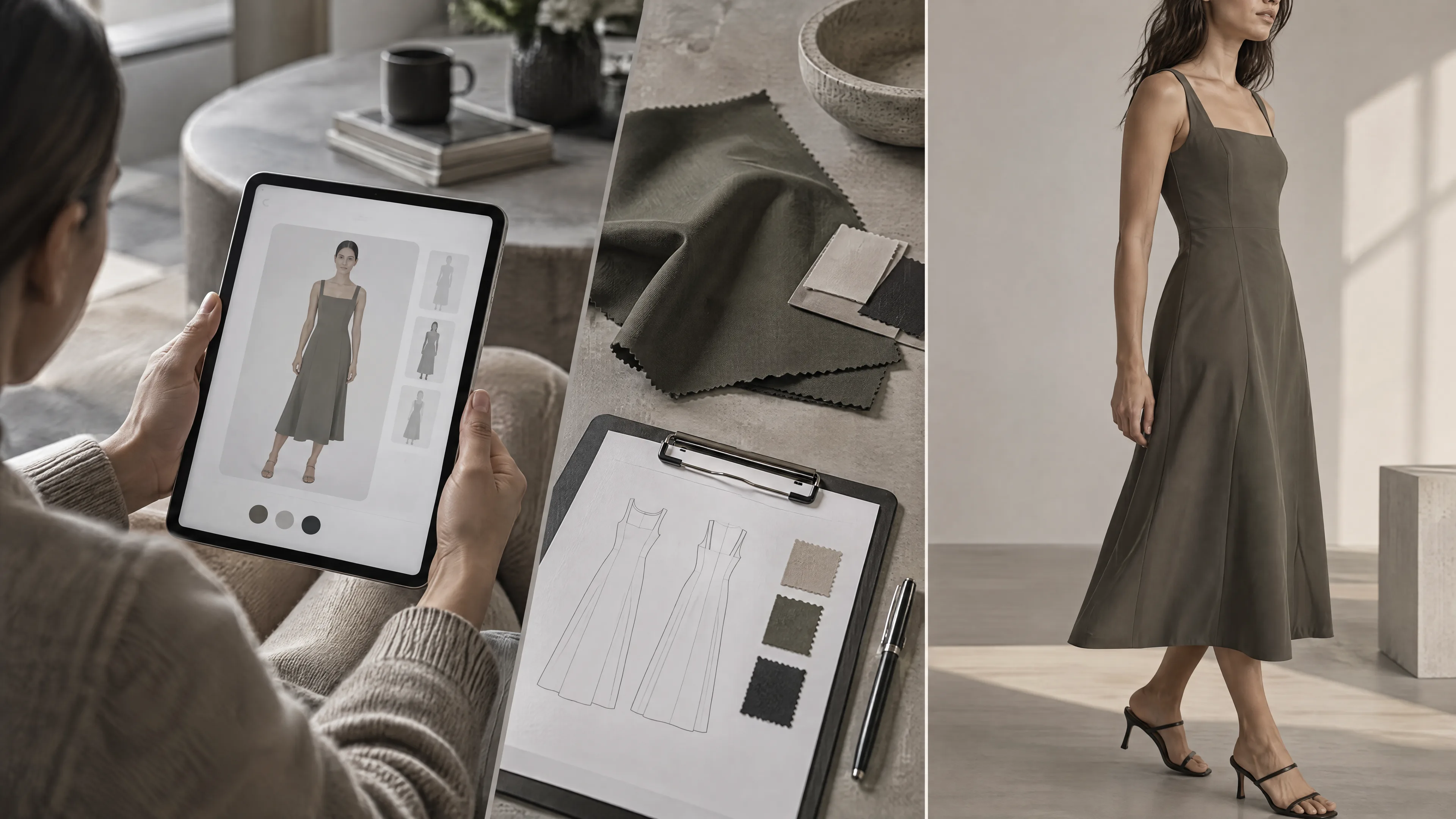
At a glance
- Try-on is a shopper fit experience; on-model catalogue imagery is a finished approved asset
- Different owners, success metrics, and QC — do not swap them casually
- AI Catalogue is the primary route when approved on-model volume is the job
8M Studio is a managed production studio. It is not a virtual try-on product and not a self-serve AI tool. This page separates a shopper fit experience from finished on-model catalogue assets.
Direct answer
Virtual try-on and on-model catalogue imagery solve different jobs. Try-on / fit experiences help shoppers visualise size, style, or personalisation on themselves or an avatar. On-model catalogue imagery is a finished product asset—approved PDP, lookbook, or campaign frames with product-truth holds. Do not substitute a VTO pilot for a catalogue programme, or expect catalogue stills to replace a fit UX. Map the job to AI Catalogue, AI Campaign, or Custom Systems—not to a free try-on app.
Best for
- +Ecommerce, product and innovation leads separating a try-on pilot from a catalogue imagery programme
- +Catalogue ops who need language for on-model PDPs rather than a try-on widget
- +Buyers comparing adjacent DIY or API tools who need route clarity before a production-fit call
Not designed for
- -A virtual try-on product pitch, a fit-accuracy claim, or a best-app ranking
- -Consumer selfie or free-outfit generator tutorials
- -Keyword-difficulty charts or invented fit and savings claims
- -AI head swap or face-swap as the product on this page
Answer first: two jobs, not one tool category
Search results put virtual try-on, product-to-model and on-model catalogue in the same neighbourhood. They are not one deliverable. Name the job before you buy a tool, a pilot, or a production route.
- Virtual try-on is a shopper-facing fit experience: the garment visualised on the shopper, an avatar, or a size path.
- On-model catalogue imagery is a finished, approved still for a PDP, a catalogue, or channel delivery.
- Success metrics differ. Try-on is judged on engagement, size confidence and experience hypotheses. Catalogue imagery is judged on first-pass approval, garment fidelity and identity lock.
- Owners differ. Try-on sits with product, CX or innovation. Catalogue imagery sits with catalogue and ecommerce QC, and with creative when the brief is a campaign.
- Keep the jobs apart before you buy. A later section maps each job to AI Catalogue, AI Campaign, or Custom AI Production Systems.
How this page relates to on-model, tools-vs-managed, and campaign-vs-catalogue
Four neighbouring pages already exist. This guide does not repeat them. It only separates a try-on experience from finished on-model assets. 8M Studio is not selling a virtual try-on product on this page.
On-model at scale and Shopify batch are the finished catalogue route
Mannequin and flat-lay to on-model at scale is the conversion route from an existing pack to reviewed on-model stills. Shopify batch on-model AI product photos is the commercial programme when those stills have to land on a drop calendar. Both pages are about finished catalogue assets. Neither is a shopper fit experience.
Tools versus managed is the operating model
AI fashion tools versus managed production is the choice between a self-serve tool and a studio programme. Botika and Claid versus managed fashion production names criteria for two tools buyers already evaluate. Those pages do not rank a try-on app, and they do not invent accuracy or prices.
Campaign versus catalogue is the image-family job
AI campaign vs catalogue production separates recurring PDP volume from a launch family that needs art direction. Use it when the imagery job is already finished assets and the question is which family those assets belong to.
This guide is the try-on versus finished-asset distinction
Use this page when the confusion is a fit experience versus an approved on-model still. Deep-link the companions for conversion, batch cadence, tool criteria and campaign families. Do not treat this page as a second on-model tutorial or a second tools comparison. When the fit experience is ChatGPT shopping, the product-image brief is ChatGPT virtual try-on product images.
What virtual try-on typically is
Virtual try-on, at category level, helps a shopper visualise size, style or personalisation. This description is fair to the category. It does not assign a fit rate, an accuracy rate, or a feature matrix to any vendor. For the definition itself, the types of try-on and how AI try-on works, read what is virtual try-on.
Shopper fit, size confidence and personalisation
The job is experience. A shopper wants to see a garment on themselves, on an avatar, or along a size path before they decide. Product, CX and innovation usually own that question.
Often interactive, and not a static approved still
The output is usually a session, an avatar, or a personalised preview. It is generated for that shopper in that moment. It is not a file that catalogue QC has marked Accept and handed to a PDP template.
Adjacent language buyers already hear
Product-to-model APIs, avatar try-on and AR mirrors show up in the same conversations. Botika, Claid, WearView, FASHN and Autophoto are category examples of DIY and API tools buyers already evaluate. They are not ranked here. This page does not invent their prices, fit rates or a count of SKUs any of them can clear.
Try-on does not replace batch-approved catalogue on-model
A try-on pilot does not deliver approved catalogue volume with product-truth holds. Print, lace, embroidery, colour and construction still have to pass review before a still can ship as a PDP asset. That failure pattern stays on why DIY AI fashion images fail on garment fidelity.
What on-model catalogue imagery is
On-model catalogue imagery is a finished product asset. The frame has an owner, a review state, and a place in a channel. It is not a live shopper fit experience.
Finished assets for PDP, lookbook, marketplace and ads
The still is built to be approved and reused: PDP, lookbook, marketplace or ads. If those frames will run in Shopping, metadata hygiene is a separate check. Read Google Merchant Center AI product images before AI on-model goes into a feed.
A lookbook is its own deliverable: styled outfits in a running order, worn by one consistent model. How to plan and review one is in the AI lookbook guide.
Product-truth holds on print, lace, embroidery, colour and construction
The garment the shopper receives has to survive the frame. Print, lace, embroidery, colour and construction are holds, not styling preferences. The review method is the AI fashion imagery QC checklist. When those holds keep failing, the decision boundary is when not to use AI fashion images.
Identity coherence across the book
A catalogue book that changes face from SKU to SKU stops reading as one range. The operating note is fashion AI identity lock. When that lock and the catalogue volume have to share one pipeline, the route is Custom AI Production Systems. AI head swap is a capability inside that system for governed identity work, not a consumer try-on. The capability note is AI head swap.
Batch programme cadence, not one hero sample
One attractive sample is not a catalogue programme. Recurring drops need intake, identity rules and Accept, Rework and Hold on a calendar. When approved volume is what stalls the drop, the diagnosis is the fashion catalogue production bottleneck guide. Shopify brands running that cadence as on-model PDPs should stay with the batch guide already linked above.
Catalogue on-model is not a live fit experience
A still shows the product on a model. It does not tell a shopper how that garment will sit on their body, and it does not personalise a size path. If that experience is the job, keep it on a try-on track. Do not ask the catalogue still to do it.
Side-by-side jobs and routes
The table is fair language for typical operating models. It is not a scored accuracy table, a price table, or a volume claim. If AI on-model frames will go to Shopping, confirm metadata readiness in the Google Merchant Center guide.
| Dimension | Virtual try-on / fit experience | On-model catalogue imagery |
|---|---|---|
| Primary job | Help shoppers visualise fit, style or personalisation | Deliver approved product-truth stills for catalogue and PDP |
| Primary audience | Shopper, CX and product experience | Catalogue, ecommerce and channel ops, plus creative if the brief is a campaign |
| Output shape | Interactive session, avatar or personalised preview | Static or sequenced approved frames |
| Success lens | Engagement, size confidence and experience hypotheses | First-pass approval, fidelity holds and identity lock |
| QC owner | Product, CX or innovation, as experience QA | Catalogue QC with Accept, Rework and Hold |
| Failure mode | A fit experience that does not ship, or that confuses size | Pretty samples that fail product truth or identity |
| Channel role | Often an on-site experience layer | PDP, Shopping, ads and lookbook assets |
| Typical 8M route | Not a VTO product. Custom Systems only if identity or governance overlaps | AI Catalogue primary. AI Campaign for families. Custom Systems for governed pipelines |
| Do not | Treat a try-on pilot as catalogue volume | Expect catalogue stills to replace a fit experience |
Two jobs / Two routes
Fit experience and finished assets stay apart
Name the output before you name the vendor.
Try-on
A shopper session, avatar or size path. Owned by product, CX or innovation.
On-model catalogue
An approved still for PDP, lookbook or channel. Owned by catalogue QC.
8M route
AI Catalogue when approved on-model volume is the job. Not a try-on product.
ControlA demo session is not an approved PDP frame.
Where buyers mix the two
The mix-up is usually a buying error, not a creative one. The team needed one job and purchased the language of the other.
Buying a try-on tool when the job is batch PDP on-model
A widget demo can look like on-model imagery because a garment appears on a body. Catalogue ops still need approved files, view rules and a drop calendar. If that is the job, start from the on-model and Shopify batch guides, not from a try-on pilot.
Expecting catalogue stills to answer size questions alone
On-model frames help a shopper see the product worn. They do not, by themselves, answer how it will fit that shopper. If size confidence is the requirement, keep a fit experience on its own track beside the catalogue.
Counting try-on demos as approved catalogue volume
A session that was never reviewed cannot enter the delivery package. Approved volume is Accept, with an owner. A demo reel is not that queue.
Ignoring garment fidelity on either route
If either route touches product truth, print, lace, embroidery, colour and construction still have to hold. The mechanic is the garment fidelity guide. The review states are the QC checklist.
Treating ungoverned DIY volume as a managed programme
A credit balance and a folder of outputs are not a programme. Review ownership, fidelity holds and batch approval are what make volume manageable. The operating-model pages are AI fashion tools versus managed production and Botika and Claid versus managed fashion production.
Decision guide: try-on, catalogue, campaign, or custom
Answer the job before you choose a route. Try-on and catalogue are often parallel workstreams. They are not substitutes.
- If the job is a shopper fit or personalisation experience, evaluate that product track separately. 8M Studio is not a virtual try-on product.
- If the job is recurring approved on-model PDP or catalogue volume, the primary route is AI Catalogue.
- If the job is a launch or lifestyle family that needs art direction, the route is AI Campaign. The chooser is AI campaign vs catalogue production.
- If identity lock and catalogue volume need one pipeline, the route is Custom AI Production Systems. AI head swap stays a capability inside that system when identity governance is in scope.
- If ghost or packshot is enough, and neither on-model nor try-on is required, use the ghost mannequin chooser.
- If product-truth holds keep failing, photography or editing may still be the safer route. The decision boundary is when not to use AI fashion images.
Decision / Name the job
The job picks the route
One sentence for the deliverable, then the route.
Fit experience
Keep try-on on its own product track.
Approved on-model volume
AI Catalogue.
Launch family
AI Campaign.
Identity plus volume
Custom AI Production Systems.
ControlGhost or photography still win when a worn AI frame is not the job.
Where 8M Studio fits
8M Studio is a managed AI fashion catalogue and campaign production studio. It is not a virtual try-on product and not a self-serve AI tool. There is no credit dashboard and no free generator on this page.
AI Catalogue is the primary route when approved on-model catalogue or PDP volume is the job. AI Campaign fits when a launch family needs coherent art direction beyond the PDP. Custom AI Production Systems fit when identity, volume and multi-route governance have to share one operating model.
AI head swap remains a capability inside Custom AI Production Systems for governed identity work. It is not the product, the title, or the primary call to action on this page.
Managed programmes can run at about 8k images a month in studio-partner-style pipelines. That figure describes operating scale. It is not a capacity promise for every brief, and it does not name partners.
If you are separating a try-on pilot from finished on-model needs, name the job first. Keep try-on on its product track. Book a production-fit call when managed catalogue delivery, a campaign family, or a governed operating model is the missing piece.
Buyer checklist before choosing try-on or on-model catalogue
- Name the job: shopper fit experience, finished catalogue assets, launch family, or a mix of parallel tracks.
- Name the owner: CX or product for try-on, catalogue QC for on-model stills, creative when the brief is a campaign family.
- List the hard SKUs that must pass product-truth holds if catalogue on-model is in scope. The failure pattern is why DIY AI fashion images fail on garment fidelity.
- Decide that try-on and catalogue can run in parallel. Do not make one a substitute for the other.
- If catalogue is in scope, write Accept, Rework and Hold and the identity rules. Use the QC checklist and fashion AI identity lock.
- If Shopping or ads will use AI on-model, confirm metadata readiness in Google Merchant Center AI product images.
- Price the approved deliverable, including review labour. The cost discipline is the fashion ecommerce pricing guide. This page does not publish a rate card.
- Choose the route: AI Catalogue, AI Campaign, Custom AI Production Systems, photography, or a separate try-on product track.
- Read the companions before the call: on-model at scale, Shopify batch on-model, AI fashion tools versus managed production, Botika and Claid versus managed fashion production, the catalogue bottleneck, the ghost mannequin chooser, AI campaign vs catalogue production and when not to use AI fashion images.
Before the call / Control sheet
Name the job before you book
The route follows the deliverable.
Job and owner
Fit experience, finished assets, or a launch family, and the person who can accept the work.
Holds
Hard SKUs, identity rules, and Accept, Rework and Hold if catalogue on-model is in scope.
Parallel tracks
Try-on stays on its product track. Catalogue volume does not replace it.
Route
AI Catalogue is primary when approved on-model volume is the job.
ControlIf a line cannot be answered, do not treat a try-on demo as catalogue volume.
Frequently asked questions
What is the difference between virtual try-on and on-model catalogue imagery?
Virtual try-on is a shopper fit or personalisation experience. On-model catalogue imagery is a finished, approved product asset for PDPs and catalogue channels. They solve different jobs, with different owners and success metrics. Do not buy them as if they were the same deliverable, and do not let a vendor demo collapse the two.
Can virtual try-on replace on-model product photos?
Usually no. Try-on may help size confidence or style visualisation, but catalogue pages still need approved on-model, ghost or packshot assets with product-truth holds. Treat the two as parallel workstreams when both matter. A try-on pilot is not a catalogue programme, and a demo session is not an approved PDP still.
Can on-model catalogue photos replace a try-on experience?
Not if the job is interactive fit or personalisation. Catalogue stills show the product on a model under product-truth holds. They do not by themselves deliver a shopper-specific fit experience. If size confidence on the shopper's own body is the job, keep that on a try-on track. Do not expect a finished still to do that work.
When should a fashion brand prioritise on-model catalogue production?
Prioritise on-model catalogue production when the constraint is approved PDP or catalogue volume, garment fidelity, identity coherence and channel delivery. That is an AI Catalogue job. It is the wrong moment to buy only a try-on widget demo. Name the hard SKUs and the QC owner before you scale the book.
When does AI Catalogue fit vs Campaign vs Custom Systems?
AI Catalogue fits recurring approved on-model volume. AI Campaign fits launch families that need art direction beyond the PDP. Custom AI Production Systems fit when identity and multi-route governance must share one operating model. Name the job first. The pillar follows the job, not the vendor category in the same search.
Is 8M Studio a virtual try-on product?
No. 8M Studio is a managed AI fashion catalogue and campaign production studio. This guide separates try-on experiences from finished on-model assets. It does not sell a virtual try-on app, a fit-accuracy claim, or a shopper widget. Keep try-on on its own product track when that experience is the job.
How do DIY try-on or product-to-model tools relate to managed production?
Adjacent DIY and API tools can support a test or a contained job. Managed programmes fit when review ownership, fidelity holds and batch approval matter. Read the tools-versus-managed and Botika and Claid pages for operating-model criteria. This page does not rank those tools, and it does not invent their accuracy or prices.
Where does AI head swap fit in this discussion?
Only as a capability inside Custom AI Production Systems, when governed identity work has to sit in the same operating model as catalogue volume. AI head swap is not a try-on product, not the title, and not the primary route on this page. If the job is shopper fit, keep that on a separate product track.
What should I decide before a production-fit call?
Name the job: fit experience, finished catalogue assets, campaign family, or a mix. List the hard SKUs and the QC owner. Decide whether try-on and catalogue are parallel tracks. Then book a production-fit call when managed AI Catalogue, AI Campaign, or Custom Systems delivery is the missing piece.
Is 8M Studio a self-serve AI image tool?
No. 8M Studio is a managed AI fashion catalogue and campaign production studio. It is not a self-serve AI tool. It is not a credit dashboard or a free generator. Clients brief the job and the acceptance rules, and the studio operates production and human QC inside an agreed scope.
Evidence and sources
- Mannequin and flat-lay to on-model at scale - Finished on-model conversion route. This page does not repeat that method.
- AI fashion tools vs managed production - Operating-model comparison. This page does not rank try-on or product-to-model tools.
- AI campaign vs catalogue production - Image-family chooser once the job is already finished assets.
Continue the decision
Name the job before you book
If you are separating a virtual try-on pilot from finished on-model catalogue needs, name the job first. Keep try-on on its product track, or book a production-fit call for managed AI Catalogue when approved on-model volume is the job, AI Campaign when the brief is a launch family, or Custom AI Production Systems when identity and catalogue volume must share one operating model.