Mannequin to on-model AI · 15 min read
Mannequin and flat-lay to on-model at scale
How fashion teams move mannequin and flat-lay packs to on-model catalogue views at volume—without a full reshoot. Compare self-serve AI vs managed production, and what QC must protect.
By Surajnarayanan SUpdated
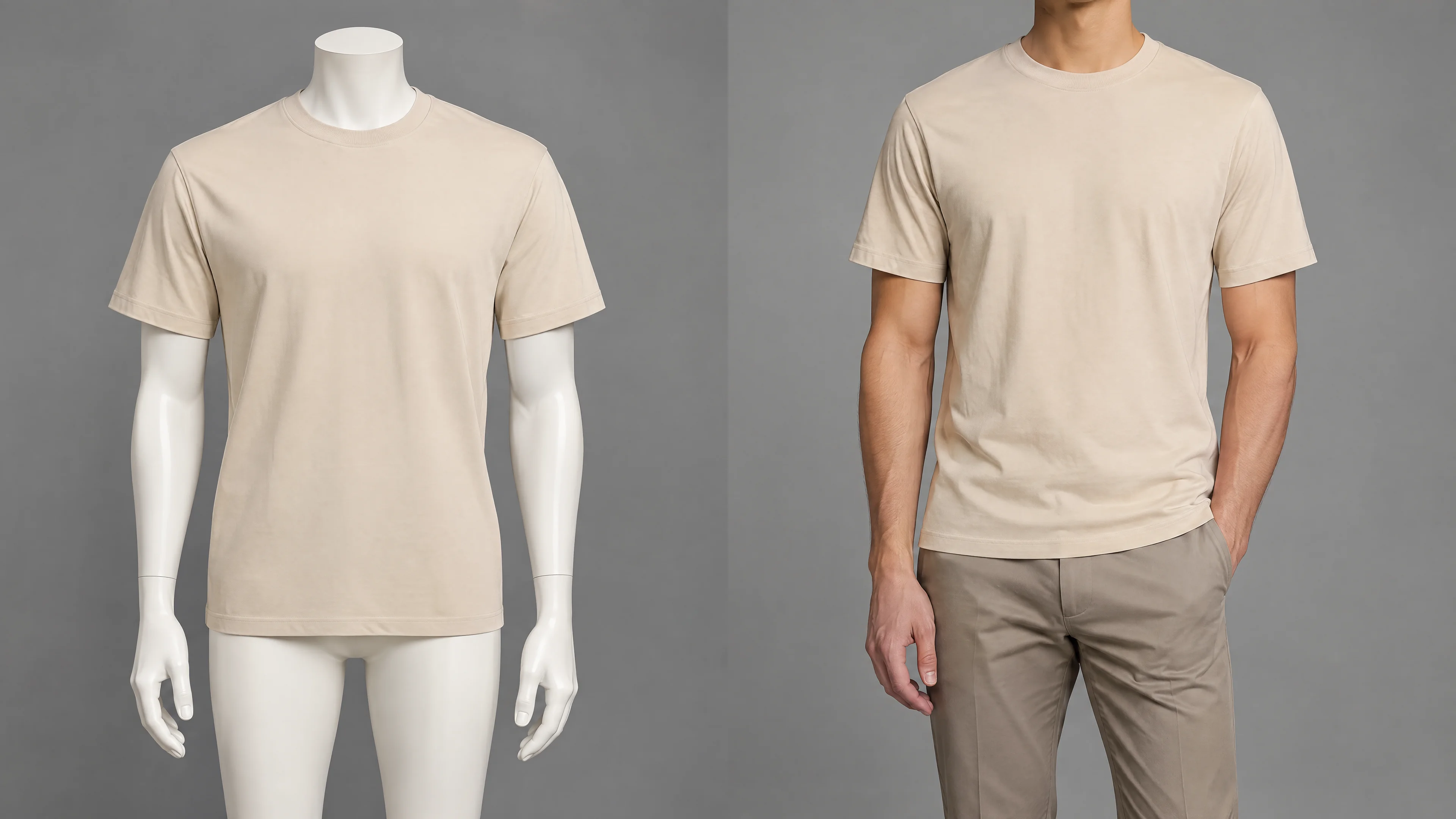
At a glance
- Treat mannequin and flat-lay packs as a production route, not a one-click filter.
- Lock the view set, product truths and QC gates before you send volume.
- Pilot ordinary and difficult SKUs, then compare cost per approved delivery.
- Flat lay photos convert well when they're shot straight down, evenly lit, steamed and closed as worn, with a back view and close-ups.
8M Studio is a managed production studio. This guide compares conversion routes; it is not a self-serve tool walkthrough or an 8M rate card.
Direct answer
Treat it as a production route, not a one-click filter. Lock the input set (mannequin, ghost mannequin, or flat-lay), the on-model view list, and the product truths that cannot change (colour, silhouette, print, trims). Run a representative paid pilot that includes difficult garments. Compare routes by cost and time per approved SKU—including human QC—not by generation credits. Self-serve tools fit skilled internal operators on low-risk tests; managed AI catalogue production fits recurring volume with one accountable delivery owner.
Best for
- +Brands with existing packshot, mannequin or flat-lay libraries that now need on-model PDPs
- +Catalogue programmes that must hold garment fidelity across dozens to thousands of SKUs
- +Teams comparing self-serve AI tools with a managed production partner
Not designed for
- -Open-ended campaign fashion with undefined art direction
- -Consumer face-swap or influencer selfie use cases
- -A universal rate card or a free-tool walkthrough
What is the best way to turn flat lay or mannequin photos into on-model images?
No single tool is best for every brand. If your catalogue is small and someone on your team can check every image, a self-serve tool such as Botika, Photoroom or WearView is the quickest way to start. If you run recurring drops across many SKUs and need one party to own review, corrections and delivery, a managed production partner fits better. Either way, the quality of your flat lay or mannequin photos decides most of the result, which is why this guide covers how to shoot them as well as which route to choose. Named criteria for Botika and Claid, rather than a winner ranking, are how Botika and Claid compare with a managed studio.
Why mannequin and flat-lay stop being enough
Packshot, mannequin and flat-lay libraries still do important work: they record product truth, support merchandising and keep a SKU identifiable. They are often no longer enough on their own. Product pages and marketplace norms pull toward on-model views that show drape, proportion and wear. When the library is mixed supplier or wholesale packshots from many studios, the intake guide is supplier packshots to on-model PDP images. This page stays on mannequin and flat-lay conversion.
Seasonal drops and SKU growth make a full model reshoot the bottleneck. The commercial question is not whether on-model imagery is useful. It is whether the existing mannequin or flat-lay pack can become a controlled on-model catalogue set without rebuilding every SKU on set. Shopify fashion brands that need this conversion on a drop calendar, with identity and QC owned as a programme, should read Shopify batch on-model AI product photos. That page is the commercial programme. This page remains the conversion route. How those approved frames must be packaged per channel is fashion ecommerce image guidelines by channel. That page is the export matrix. A launch family is a different job from that catalogue set. The route chooser is AI campaign vs catalogue production. When the prior question is whether this brief should use AI at all, the decision boundary is when not to use AI fashion images. When buyers mix a shopper try-on with finished on-model assets, the route distinction is virtual try-on vs on-model catalogue imagery. When the commercial question is a fashion shoot versus a managed AI programme, the cost-driver comparison is fashion shoot cost vs AI production.
Approved production write-ups of studio-operated catalogue work, without a client name, are on the case studies page.
What at scale actually requires
Scale is not a larger credit pack. It is a repeatable route from a locked input set to approved, channel-ready files, with an owner for the frames that fail. Before volume, the brief has to make three things explicit: the view set, the product truths that cannot drift, and the acceptance criteria used to approve or hold work.
Locked view set and SKU brief
Record the SKUs, colourways and the on-model views required for each destination: hero, front, back, side or three-quarter, detail, and any channel crop. A provider cannot price or operate a catalogue if the view list is still a moodboard.
Product truths that cannot drift
Fashion conversion work fails when the generated body is more convincing than the garment. Lock colour, silhouette, print placement, lace and embroidery, trims, closures and variant identity before generation starts. If a truth is not visible in the source pack, it cannot be invented later and still be commercially reliable.
Acceptance criteria before volume
Agree first-pass approval rate, who owns corrections, which inputs are held, and which crops, names and formats count as delivery. Without those gates, a catalogue becomes an unmanaged review queue attached to a generator.
Route map / Catalogue conversion
Input, produce, review, then approved delivery
On-model volume holds when the route is operated as production, not as a prompt session.
Input contract
Mannequin, ghost-mannequin or flat-lay packs, the on-model view list and the product truths that cannot change.
Produce
Generate the agreed views from the approved garment reference rather than from open-ended styling prompts.
Human QC to delivery
Review fidelity, correct or hold exceptions, then package channel-ready crops.
ControlCompare cost and time per approved SKU, including human QC—not generation credits.
Three input types, one destination
Mannequin, ghost-mannequin and flat-lay packs can all feed the same on-model catalogue destination. They do not fail in the same place. The input type changes what the route can protect and what the reviewer must watch.
Mannequin and ghost-mannequin packs
A dressed mannequin or ghost-mannequin pack already holds silhouette, hang and many construction clues. That makes it a strong source for on-model conversion when lighting is consistent and trims are visible. Ghost-mannequin files are still product records, not a finished on-model set; the missing job is wear, proportion and catalogue presentation. If the question is which ghost mannequin service to hire, use the ghost mannequin chooser rather than collapsing that decision into this conversion brief. For how ghost mannequin files are made in the first place, see what is ghost mannequin photography?.
Flat-lay packs
Flat-lays can be accurate colour and print references, but they compress drape and can hide closures, shoulder shape and hem behaviour. Conversion quality depends on whether the lay-up shows the garment completely enough for a reviewer to check the generated on-model result against product truth.
Mixed libraries, and what breaks first
Mixed archives usually break first on continuity: different mannequin forms, inconsistent ghost extractions, incomplete backs and colourways photographed under different lights. Weak inputs, undefined acceptance criteria and no owner for corrections show up here before any generator limit does.
"Most brands already hand imagery to someone else — usually a photo studio. AI needs tech skill, creative judgment and a person who owns fixes. Brands should focus on selling, not learning image pipelines. They send us mannequin or flat-lay shots; we turn those into catalogue-ready frames, handle SKUs, retouching and QC. That's a new kind of production partner, not a DIY app and not a traditional studio."
Flat lay photography for clothing
Flat lay photography means laying a garment flat and shooting it from directly above. For clothing it's quick to set up, easy to keep consistent across a catalogue, and good at showing colour, print and the full outline of a piece. Its weakness is that it can't show how the garment falls on a body. That's why many brands use flat lays as their product record and then convert them into on-model views.
A flat lay that's going to be converted needs more care than one that will only ever be shown flat. The conversion can only keep what the photo shows. Anything hidden, creased or distorted gets guessed. For the definition, the terms used in briefs and how flat lay compares with ghost mannequin and packshot formats, see flat lay photography: what it is and when to use it.
| Flat lay problem | What happens in the on-model image | Fix |
|---|---|---|
| Camera at an angle | Length and proportions come out wrong | Reshoot from directly above |
| Creases and wrinkles | The fabric looks crumpled, or gets a smoother texture it doesn't have | Steam and reshoot |
| Styled folds or tucked sleeves | Sleeve length, width or hem shape gets guessed | Lay the garment in its natural shape |
| Open zips or undone buttons | Closures move or disappear | Close the garment as it's worn |
| Hard shadows or a colour cast | Dark patches read as trims, and the colour no longer matches the product | Even light, fixed white balance and a colour reference |
| Low contrast with the background | Edges blur and the outline changes | Use a contrasting background |
| No back view or close-ups | The back, label and trims are generated rather than recovered | Add a back flat lay and detail shots |
| Several colourways in one frame | Colour bleeds between variants | One variant per image |
| Props touching the garment | Props merge into the garment | Remove props from the frame |
| Low resolution | Small prints and logos get redrawn | Shoot and export at full resolution |
When flat lay is enough on its own
- Basics, socks, scarves and accessories, where fit isn't the buying question.
- Graphic tees and printed pieces, where print placement matters most.
- Outfit grids, bundles and social posts.
- Category pages and marketplaces where every SKU has to look the same.
- Not enough on its own: dresses, trousers, tailoring, outerwear and anything bought on fit. Add an on-model or ghost mannequin view.
How to shoot a flat lay that converts well to on-model
- Shoot straight down, with the camera parallel to the surface. An angled camera stretches one end of the garment, and the on-model image copies the wrong length.
- Use soft, even light from large sources. Hard shadows under a collar or hem can be read as fabric or as a dark trim.
- Use a plain background that contrasts with the garment. White on white loses the edge.
- Steam the garment first. Creases either come through as texture or get smoothed into a different shape.
- Lay it in its natural shape: shoulders square, sleeves along the body or slightly out, hem straight. Skip heavy styling folds, tucked sleeves and pinned backs, which hide length and width.
- Close the garment as it's worn. Do up buttons and zips, tie belts and set the collar.
- Shoot the back as its own flat lay, plus close-ups of the print, label, trims, closures and fabric texture.
- Put a colour reference, such as a grey card, in one frame for each lighting setup, and keep white balance fixed so every colourway stays true.
- One variant per frame, the same framing for every SKU, and no props on or touching the garment.
- Export at full resolution, with no beauty filters or heavy sharpening.
Before the images go live
Keep the channel rules in mind for the final files. Google Merchant Center asks that each image shows only the variant being sold, not several colourways together, and that the product fills between 75 and 90 percent of the frame (checked 6 October 2026). How each channel wants the approved frames packaged is in fashion ecommerce image guidelines by channel. If a worn view isn't needed at all, ghost mannequin may be the better format. The comparison is in how to choose a ghost mannequin service.
Production routes buyers actually choose
Buyers comparing mannequin-to-on-model work are usually choosing among a traditional on-model shoot, a self-serve AI tool and a managed AI catalogue production partner. The useful contrast is who operates intake, retries, garment-fidelity QC, exceptions and channel delivery.
| Route | Usually fits | Cost that is easy to miss | Who owns exceptions |
|---|---|---|---|
| Traditional on-model shoot | Physical truth or open-ended direction that must be resolved on set | Talent, studio, logistics, usage, reshoots and coordination | The studio owns capture; the brand still owns brief, samples and approvals |
| Self-serve AI tools | Low-risk tests with skilled internal operators | Operator time, retries, review, correction and delivery preparation | The buyer operates generation, the review queue and file prep |
| Managed AI catalogue production | Recurring on-model programmes that need one accountable delivery owner | Input preparation, exception scope and service-level requirements | The production partner operates the route and human QC within an agreed scope |
Traditional on-model shoot
Keep physical capture when the product must be resolved on set, the source record is incomplete, or the brief depends on open-ended direction and interaction. A reshoot is the right route for those SKUs even if the rest of the catalogue can convert.
Self-serve AI tools
Botika, Photoroom, WearView, Claid and On-Model AI are tools buyers often compare. The next section lists what three of them say on their own public pages. In this class, the buyer usually runs generation, retries, review and file preparation, though some plans now add vendor retouching or QA tools.
Managed AI catalogue production
A managed studio route, including 8M Studio AI Catalogue Production, operates the workflow within an agreed scope and service level. The brand owns the brief, product-truth rules and final commercial acceptance. Compare this route by reviewed files delivered and the exceptions it owns, not by generation credits.
Responsibility / Three routes
The route changes who carries the production work
Self-serve, studio capture and managed production put setup, review and exceptions in different hands.
Traditional studio
The provider owns physical capture; the brand still coordinates samples, creative approvals and usage.
Self-serve AI
The software fee is visible; operator time, retries, fidelity review and file preparation stay internal.
Managed AI production
The production partner owns the operating route and human QC within an agreed scope and service level.
ControlChoose by workload shape and accountability—not by generation credits alone.
Self-serve tools and managed production compared
This table lists what Botika, Photoroom and WearView say about themselves on their public pages, next to how a managed production route works. We checked each page on 6 October 2026. We haven't tested the tools side by side, and plans and features change, so confirm the details on each vendor's site. All three are capable tools. The real difference is who does the checking. If Botika is already your tool and checking is the bottleneck, see what a Botika alternative looks like on a managed route.
| Botika | Photoroom | WearView | Managed production (for example, 8M Studio) | |
|---|---|---|---|---|
| How you use it | Web platform, Shopify app or iOS app. You upload photos and generate. | Web and mobile app with batch editing, a Shopify integration and an API. | Web app. API access on the Enterprise plan. | You send the product pack and brief. The studio runs production and delivers reviewed files. |
| Inputs it says it accepts for on-model | Flat lay, mannequin (front, back or side) and on-model photos | Flat lay, ghost mannequin or a photo of someone wearing the product | Flat lay, packshot or a photo on a person | Mannequin, ghost mannequin or flat lay packs, plus colour and detail references agreed before production |
| Ghost mannequin | Turns ghost mannequin photos into on-model images | Separate Ghost Mannequin tool and API | AI ghost mannequin on Pro plans and above | Included in the view set where the brief needs it |
| How pricing works | Subscription credits: 1 credit per photo, 5 per video. Free trial offered. | Subscription plans with AI credits. Free trial on some plans. Enterprise is custom. | Subscription credits that vary by image resolution. No free trial; a money-back guarantee is stated. | Quoted per programme from a representative paid pilot and the agreed SKU and view list |
| Review and corrections | Plans include retouch rounds per photo. Enterprise lists white-glove quality control by an expert team. | Enterprise lists Visual QA tools and an SLA. The API page says quality checks flag potential distortions. | Regenerate on demand. Enterprise adds dedicated support. Human review isn't described on the pages we checked. | Human QC against the product pack before release. The studio corrects, holds or rejects each frame. |
| Who does the final check | Your team, plus Botika's retouching where your plan includes it | Your team, with Photoroom's QA tools on Enterprise | Your team | The studio, within the agreed scope. Your team gives final commercial sign-off. |
| Usually fits | Brands that want a fashion-specific tool with optional retouch help | Teams that also want background, flat lay and ghost mannequin tools, or an API, in one product | Small brands and sellers who want fast self-serve on-model images | Recurring drops across many SKUs where one party has to own review and delivery |
- Botika: products, mannequin to on-model, pricing and FAQ.
- Photoroom: AI Fashion Models, Virtual Model API, Ghost Mannequin, pricing.
- WearView: Virtual Model, Ghost Mannequin, pricing.
How to put clothing product photos on a model with AI
Start from an approved garment reference, not from a styling prompt. Generate only the locked on-model views. Review colour, silhouette, print, trims and closures against the source pack. Deliver the channel crops after a human accepts the set, or hold the SKU when the source cannot support the view.
That sequence is the same whether the input is a mannequin, a ghost-mannequin extraction or a flat-lay. Batch work for Shopify and other catalogue channels is a programme only when the view set, QC gates and exception rules are fixed. One-off prompts do not become a catalogue.
The fidelity problem: why DIY demos fail on real catalogues
A single convincing sample is not evidence that a route will hold across a drop. On real catalogues, the recurring defects are print drift, invented lace, warped trims, wrong closures and colourways that no longer match the product record.
Those failures are a QC-system problem: missing product truths, no first-pass standard, and no owner for correction or hold decisions. A demo selected from easy garments will not show them. A representative paid pilot will.
"After generation, an agent tool checks the garment against the reference — layout, logos, QC. If those are wrong, the image goes back for rework. Frames that pass go to our retouching partners for the final clean. Nothing ships until that retouch pass is done."
How to run a representative paid pilot
Price and trust should come from observed work on a representative set, not from a handful of easy frames. Fix the brief and acceptance criteria before the pilot starts, then measure what actually gets approved.
Include ordinary and difficult SKUs
The set should include straightforward garments and the cases that usually fail: reflective trims, complex prints, dark materials, layered garments and incomplete inputs. If the pilot contains only hero products, the correction load is fiction.
Measure approved output, not pretty samples
Count first-pass approvals, correction time, held inputs and whether files arrived channel-ready. A beautiful rejected frame is still a failure. An approved, named, cropped delivery is the unit the catalogue can use.
Price recurring volume from observed correction load
Recurring cost follows setup, review and exception work, not the first generation. Use the pilot to decide which SKUs can convert, which must be reshot, and what service level the operating route needs before volume increases.
Where 8M Studio fits
8M Studio is a managed AI catalogue production partner, not a self-serve generator. AI Catalogue Production is the route for recurring on-model catalogue programmes: defined input contract, operated production, human review and approved delivery.
Suraj, our founder, puts it simply: "We're an AI-native service business. We're not an app, and we're not a generic IT services shop." That's the practical difference from the tools above. You don't operate anything. The studio does, and it stands behind the reviewed files.
Custom AI Production Systems is the route when the bottleneck needs a governed pipeline rather than a one-off batch. When the stall is approved catalogue volume across drops, not only the conversion method, use the fashion catalogue production bottleneck guide. When one model must stay recognisable across the book, read fashion AI identity lock. AI head swap sits inside that system as an identity-replacement capability for catalogue identity work; it is not a standalone product and not the conversion method this page is about.
Studio-operated pipelines have delivered around 8k images a month with human review before delivery. That figure is operating proof for a controlled route, not a capacity promise for every catalogue and not a rate card.
Buyer checklist before you commit volume
Give every provider the same brief. Then compare included work, QC ownership, exception handling, rights where talent identity is involved, and what remains after handoff. Pricing language here is a planning comparison, not an 8M Studio rate card.
- Can the provider price the same SKU list, on-model view set and delivery specification?
- Which work is included before an image is considered approved?
- Who checks garment fidelity against colour, silhouette, print, trims, closures and variant identity?
- What happens when an input is missing or an output fails review?
- If talent identity is involved, which rights, territories, channels and durations are included?
- What remains for the brand team after files are delivered?
- Can the provider prove the route on a representative paid pilot that includes difficult SKUs?
Buyer control / Before volume
The conversion-brief control sheet
A comparable brief makes scope, ownership and exceptions explicit before catalogue volume starts.
Output definition
SKUs, on-model views, variants and the exact condition for approval.
Included work
Intake, production, human QC, corrections and channel-ready delivery.
Exception rules
Missing inputs, failed outputs, difficult garments, holds and reshoots.
What remains after handoff
Crops, naming, metadata, rights and any work the brand still owns.
ControlIf a line item cannot be compared, record the assumption before selecting a route.
Frequently asked questions
Can AI turn mannequin photos into on-model images?
Yes, when the mannequin pack is treated as a production input rather than a filter. Lock the garment reference, the on-model view list and the details that cannot change, then review every output against those truths. AI can produce usable catalogue views; it cannot invent missing construction, print placement or trim accuracy.
Is flat-lay to on-model accurate enough for ecommerce?
It can be, if the flat-lay shows colour, silhouette, print and construction clearly, and a human checks the generated on-model views against that reference. Weak lighting, occluded trims or incomplete backs increase invention risk. Accuracy is a QC outcome, not a property of the generator.
What is the difference between a self-serve AI tool and managed catalogue production?
In a self-serve tool, the buyer typically operates generation, retries, review and file preparation. In managed catalogue production, a production partner operates the agreed route and human QC within scope, while the brand owns the brief, product-truth rules and final commercial acceptance. Compare ownership of exceptions, not generation credits.
How do you keep garment details accurate when generating on-model views?
Define product truths before volume: colour, silhouette, print placement, lace or embroidery, trims, closures and variant identity. Review first-pass outputs against those rules. Correct, hold or reject failures through a named owner. Fidelity is a QC system problem; pretty samples are not evidence that a catalogue will hold.
Should we reshoot or convert existing mannequin packs?
Convert when the existing pack is commercially true and the missing job is on-model presentation at volume. Reshoot when physical truth is unresolved, source images cannot support the required views, or the brief needs open-ended direction on set. A representative paid pilot should decide which SKUs can convert and which must be held.
How should a brand pilot mannequin-to-on-model before scaling?
Run a paid pilot that includes ordinary SKUs and difficult cases such as complex prints, reflective trims, dark materials, layered garments and incomplete inputs. Fix acceptance criteria first. Measure approved output, correction load, held inputs and channel-ready delivery—not the prettiest generated samples. Price recurring volume from that evidence.
What is the best AI service to turn flat lay photos into on-model images?
No single service is best for every brand. Self-serve tools such as Botika, Photoroom and WearView suit teams that can check every image themselves. A managed production partner suits recurring catalogue volume where one party has to own review, corrections and delivery.
What is flat lay photography?
Flat lay photography is photographing a product laid flat on a surface from directly above. For clothing it shows colour, print and the full outline clearly, but not how the garment fits or falls on a body.
Is flat lay or on-model better for clothing?
On-model is usually better when shoppers buy on fit, such as dresses, trousers and outerwear. Flat lay works well for basics, accessories, graphic prints and consistent category grids. Many brands shoot flat lays as the product record and add on-model views.
How do you shoot flat lay clothing photos for AI on-model conversion?
Shoot from directly above with soft, even light on a plain, contrasting background. Steam the garment, lay it in its natural shape and close it as it's worn, then add a back view and close-ups of the print, labels and trims. Use one variant per frame and keep full resolution.
Why do flat lay to on-model conversions fail?
Most failures start in the flat lay. Angled shots distort length, creases and shadows get read as fabric details, and anything hidden, such as the back or a closure, has to be guessed. Better source photos and a reviewer who checks every output fix most of it.
Do self-serve AI fashion tools include human review?
Some plans do. Botika lists retouch rounds on its plans and expert quality control on Enterprise, and Photoroom lists Visual QA tools on Enterprise (both checked 6 October 2026). Otherwise your own team does the checking.
Evidence and sources
- The studio-partner AI head swap production route supports around 8k images a month. Verified 2026-09-05.
- Approved production proof comes from a confidential studio-partner fashion catalogue programme. Verified 2026-08-11.
- Commerce images must accurately display the product and meet channel image requirements. Verified 2026-08-05.
- Google Merchant Center image requirements - Primary channel guidance: accurate representation, one variant per image (no grouped colourways), product filling 75–90% of the frame, and preserving IPTC DigitalSourceType on generative-AI images. Checked 6 October 2026.
- Google helpful content guidance - Primary guidance used for the editorial standard of this guide.
- Botika products - Vendor page: on-model from flat lay, mannequin (front, back or side) and on-model photos; web platform, Shopify app and iOS app. Checked 6 October 2026.
- Botika pricing and FAQ - Vendor page: credit-based plans (1 credit per photo, 5 per video), free trial, retouch rounds per photo, Enterprise white-glove quality control. Checked 6 October 2026.
- Photoroom AI Fashion Models - Vendor page: on-model images from flat lay or on-person product photos; batch editing. Checked 6 October 2026.
- Photoroom Virtual Model API - Vendor page: places flat lay or ghost mannequin products on AI models; says quality checks flag potential distortions. Checked 6 October 2026.
- Photoroom pricing - Vendor page: credit-based plans with free trial on some tiers; Enterprise lists Visual QA tools and SLA. Checked 6 October 2026.
- WearView Virtual Model - Vendor page: on-model images from flat lay, packshot or on-person photos. Checked 6 October 2026.
- WearView pricing - Vendor page: credit-based plans, credits vary by resolution, AI ghost mannequin from Pro, API on Enterprise, no free trial, money-back guarantee stated. Checked 6 October 2026.
Continue the decision
Ready to convert an existing pack?
If you already have mannequin or flat-lay packs and need on-model catalogue volume with review before delivery, start with AI Catalogue Production. Book a production-fit call to scope a representative paid pilot.