Ai lookbook · 8 min read
AI Lookbook: How to Build a Seasonal Lookbook With One Consistent Model
How to make an AI lookbook that reads as one shoot: the steps from line sheet to approved book, why the model has to stay the same person on every page, a seasonal workflow from planning to reuse, and the jobs where a real shoot is still the better call.
By Surajnarayanan SUpdated
Definition
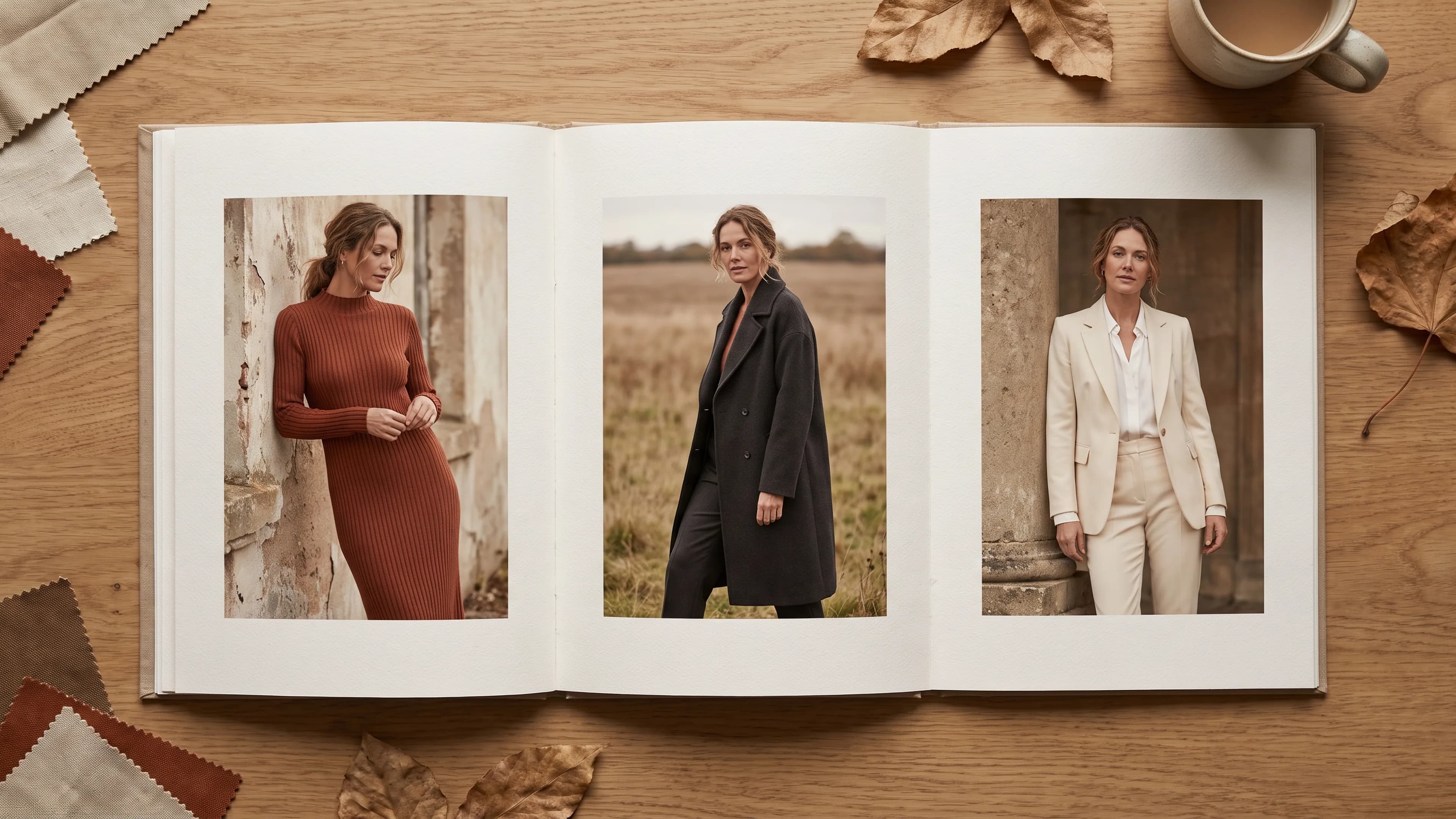
An AI lookbook is a styled set of fashion images, made with generative AI from real garment references, that shows a collection as complete outfits worn by one consistent model in one visual world.
Direct answer
Plan the looks first, then lock one model, one light and one set before generating anything. Use a real garment reference for every outfit, produce in batches by look, and review the whole book side by side before crops. AI suits recurring seasonal lookbooks built from product; a live shoot still wins for performance-led hero pages.
Best for
- +Fashion brands planning a seasonal or drop lookbook without a location shoot
- +Creative and ecommerce leads who need the lookbook model to match the catalogue model
- +Teams that already hold packshots, flat lays or ghost mannequin shots for the range
Not designed for
- -Prompt recipes or a ranking of lookbook generator apps
- -Books built around a named ambassador without written consent for AI depictions
- -Garments that exist only as sketches or mood boards
- -Children's lookbooks or any imagery of minors
What an AI lookbook is for
A lookbook sells the collection as a set of outfits, not single products. Buyers, wholesale accounts and shoppers flip through it to see how pieces combine and what the season feels like. An AI lookbook does that job without a location shoot, as long as the garments stay true and the model stays the same person.
That makes it a different deliverable from on-model catalogue images. A catalogue frame shows one SKU on a neutral set so a shopper can judge the product. A lookbook page shows a styled outfit, often several products at once, in an order that tells the season's story. The two can share a model, but they are briefed and reviewed differently. If you still need to name which job you have, the route chooser is AI campaign vs catalogue production.
A lookbook is also narrower than a full campaign. A campaign family carries mood, hero frames and channel crops for a launch; a lookbook is usually a calmer, more complete record of every look in the range. How a wider campaign set stays one world is covered in AI campaign image families. This page stays on the lookbook itself.
How to make an AI lookbook, step by step
Treat an AI lookbook as a shoot with a call sheet, not a prompt session. Plan the looks, collect real garment references, lock one model, light and set, prove the route on a test spread, then expand look by look and review the whole book side by side before anything is cropped or sent.
Write the look list and running order
Start from the line sheet. Group pieces into complete outfits, decide which looks open and close the book, and mark which pages are hero spreads and which are support pages. Write down every styling call a stylist would make on set: tucked or untucked, sleeves rolled or not, layering order, shoes and accessories. Gaps here become guesswork later.
Collect garment truth for every piece
Each garment needs a reference the image can be held to: professional packshots, flat lays, ghost mannequin shots or the physical sample photographed under neutral light. Add close-ups of prints, trims and closures, and a colour reference for anything colour-critical. Producing those on-model inputs at volume is the job of AI Catalogue Production, and the conversion itself is explained in mannequin and flat-lay to on-model at scale.
Lock the model, light and set
Choose the model before you generate a single look, then freeze a reference pack: face, hair, skin, body proportions, make-up and expression range. Do the same for the visual world: one lighting setup, one set or location style, one grade. These are the rules every page must obey. The next section explains why the model lock is not optional.
Prove the route on a test spread
Before volume, produce a small spread that includes an easy look and the hardest garment in the range, such as a sheer layer or a busy print. Review it as a book page, not as single frames. If the test fails on garment truth or identity, fix the route now rather than after every look has been generated.
Expand look by look
Produce in batches grouped by look, not by product, so each outfit is checked as a whole. Keep the reference pack, light and set fixed; change only the outfit and the pose. When a new colourway joins the range, a colourway swap can be quicker than a new look, as covered in AI colorway swaps for an on-model catalogue.
Review the book side by side
Lay every page out in running order and review them together. A frame is accepted, sent back for rework, or held when the garment or the identity is wrong. Check the model's face across pages, colour against the references, and whether the light still reads as one day. The gates are in the AI fashion imagery QC checklist.
Crop and deliver for each use
A lookbook often ends up in more than one place: a wholesale PDF, a website story, social posts and marketplace listings. Agree the crops and file formats before finals so the hero pages survive each aspect ratio. Marketplace rules differ, so check fashion ecommerce image guidelines by channel before reusing lookbook frames on product pages.
Why the lookbook needs one consistent model
Readers assume a lookbook shows one person wearing the collection. If the face, hair or body shifts between pages, the book stops reading as a single shoot and starts looking generated. Identity drift gives an AI lookbook away quickly, so the model has to be locked by reference, checked on every page and owned by a reviewer.
What to lock before generating
- Face: approved reference images from several angles, not a single portrait.
- Hair: colour, length, parting and how it is styled for this season.
- Skin tone and complexion, checked under the book's own lighting.
- Body proportions and height impression, so garments drape the same way from page to page.
- Make-up and grooming, including whether they change between day and evening looks.
- Expression and pose range that fits the brand, so the model's attitude stays consistent too.
How to check for drift
Put a face crop from every page in one strip and look at it before anything else. Then compare full-length frames at the same scale: shoulder width, height impression and hands drift quietly. Any page that reads as a different person is held, even if the outfit is perfect. Fashion AI identity lock covers the reference-pack method in depth.
When the face must match your catalogue model
If your product pages already use a recognisable model, the lookbook should show the same person, or the brand ends up with two faces. An AI head swap replaces the model identity in existing catalogue photos while human review protects garment detail, which helps one face carry both books. If that identity belongs to a real person, check their release first: does your model release cover AI?
A seasonal AI lookbook workflow
A seasonal lookbook follows the range calendar. Lock the route before samples land, produce looks as each drop is confirmed, refresh with colourways mid-season, and keep the model and set references for the next book. Reusing the locked route is the quiet advantage: the next season starts from approved rules, not a blank brief.
| Phase | What happens | Owner | Output |
|---|---|---|---|
| Pre-season planning | Line sheet grouped into looks; mood, casting and set direction agreed; hero and support pages marked | Brand creative lead | Look list, running order and visual brief |
| Sample and reference intake | Packshots, flat lays or ghost mannequin shots collected for every piece, with detail and colour references | Brand product team | A complete garment reference set |
| Route lock | Model reference pack, light and set frozen; a test spread with the hardest garment is reviewed | Production lead and brand approver | An approved test spread and locked rules |
| Drop production | Looks produced in batches as each drop is confirmed, then reviewed side by side as a book | Production team, with brand sign-off | Approved pages for the drop |
| Mid-season refresh | New colourways or late additions slotted in under the same rules | Production team | Updated pages without a new route |
| Season close and reuse | References, rules and approved frames archived; next season's set and light changes noted | Brand creative lead | A starting point for the next book |
Keep the model reference pack and the review notes when the season ends. Changing the set and light for a new season is normal; changing the model is a casting decision, not a side effect of switching tools. If the same model also carries your catalogue, plan both together so the lookbook and the product pages stay one brand.
What changes each season, and what stays
- Usually changes: the set, the colour of the light, the styling story and the order of looks.
- Usually stays: the model, the grade family, the review gates and the crop list for each channel.
- Decide early: whether a capsule or collaboration gets its own model and world, or borrows the main book's.
When not to use AI for a lookbook
Skip AI, or limit it to support pages, when the book depends on something a generator cannot give you: a real ambassador's performance, garments that keep failing truth checks, movement that sells the fabric, or no garment references at all. In those cases a shoot, or a hybrid with real hero pages, is the safer route.
- A named ambassador or real talent is the point of the book, and you do not hold written consent for AI depictions of them.
- Hero pages depend on live art direction: a performance, an interaction between people, a styling decision made on set.
- Lace, layered sheers, complex knits or unusual trims fail the same garment check across retries. The mechanics are in why DIY AI fashion images fail on garment fidelity.
- Movement sells the product, such as a skirt's swing or a fabric's drape in wind, and a still would mislead.
- There are no garment references yet, only sketches or a mood board. AI cannot show a garment truthfully before it exists.
- The book features children. Keep that to a real, supervised shoot.
- A retail partner, award entry or press use requires real-shoot provenance for the images.
The wider decision boundary, beyond lookbooks, is set out in when not to use AI fashion images. A hybrid is often sensible: shoot the hero spreads with real talent, then build support pages with AI under the same light and set rules, with consent in place for any real person shown.
Self-serve lookbook generator or managed production
A self-serve AI lookbook generator is a fair way to draft ideas or test a mood. It becomes risky when the book is the deliverable, because often nobody is named to hold a wrong garment or a drifting face. Managed production adds a brief, a locked route, side-by-side review and one owner for every exception.
The choice is about who owns the result, not which tool draws better. If your team has skilled operators and time to review every page, a tool can work. If not, the operating-model comparison is AI fashion tools vs managed production.
Where 8M Studio fits
8M Studio is a managed AI fashion production studio, not a self-serve lookbook generator. It produces lookbook pages from your garment references under a locked model, light and set, reviews the book side by side with human QC, and delivers the crops you agreed. The brand keeps creative approval and any consent decisions about real people.
- AI Campaign Production: art-directed lookbook and launch sets, reviewed as one family.
- AI Catalogue Production: on-model product images from flat-lay, ghost mannequin or packshot inputs, with the lookbook model where needed.
- AI head swap: one identity held across existing catalogue photos when the lookbook has to match your catalogue face.
- Custom AI Production Systems: when the seasonal route has to live inside your own pipeline.
Finished work is on the examples page, and published production stories are in the case studies.
Frequently asked questions
What is an AI lookbook?
It is a styled set of fashion images, made with generative AI from real garment references, that shows a collection as outfits on one consistent model. It can replace or sit beside a lookbook shoot, and it still needs garment checks and a side-by-side review before it is published.
How do you keep the same model on every page of an AI lookbook?
Lock a reference pack before generating: face from several angles, hair, skin tone under the book's light, body proportions, make-up and expression range. Keep it fixed for every look, then review a strip of face crops from all pages together and hold any page that reads as a different person.
Can the lookbook use the same model as our catalogue images?
Yes, and it usually should, so the brand shows one face. If your product pages already use a model, an AI head swap workflow can hold that identity across frames. If the model is a real person, confirm the release covers AI depictions before any work starts.
What do we need to send for an AI lookbook?
A look list with a running order, a visual brief for mood, light and set, and a garment reference for every piece: packshots, flat lays, ghost mannequin shots or photographed samples. Add detail close-ups and colour references for colour-critical pieces, and name one person who approves the book.
How is an AI lookbook different from on-model catalogue images?
Catalogue images show one SKU on a neutral set so shoppers can judge the product. Lookbook pages show styled outfits in a running order that tells the season's story. They can share a model and garment references, but they are briefed, reviewed and cropped as different deliverables.
Can we reuse the AI model and set next season?
Yes. Keep the model reference pack, the review notes and the approved frames. A common pattern is to change the set, light and styling story each season while keeping the model, so the next book starts from approved rules instead of a new brief.
When should we shoot the lookbook instead?
Shoot when a real ambassador's performance is the point, when garments keep failing truth checks, when movement sells the fabric, or when there are no garment references yet. A hybrid also works: real hero spreads, with AI support pages built under the same light and set rules.
Is 8M Studio an AI lookbook generator?
No. 8M Studio is a managed production studio. You brief the looks and send garment references; the studio runs production under a locked model, light and set, reviews the book with human QC and delivers approved pages. There is no self-serve dashboard.
Evidence and sources
- AI campaign image families - How a wider art-directed set stays one world. This page covers the lookbook deliverable only.
- Fashion AI identity lock - The reference-pack method behind the consistent-model requirement.
- AI fashion imagery QC checklist - Accept, Rework and Hold gates used in the side-by-side review.
- When not to use AI fashion images - The general decision boundary this page narrows to lookbooks.
Continue the decision
Planning next season's lookbook?
Write the look list, gather a garment reference for every piece and decide which model the book belongs to. Then book a production-fit call to see whether AI Campaign Production fits the season.