Zalando ai generated product images · 14 min read
Zalando AI-Generated Product Images: What Gets Rejected, Why Labels Are Banned, and Invisible Marking by December 2026
What Zalando rejects in AI-generated product images, why visible AI labels are banned, what invisible marking means by December 2026, and how to keep one model consistent across a set.
By Surajnarayanan SUpdated
At a glance
- Accuracy first: texture, pattern, buttons, logos and the model's face, skin tone and proportions must stay true and consistent across the set
- No “AI-generated” text or watermark on the image. Mark the file invisibly instead, and make sure the marking survives upload
- If counsel says an image would need a visible deepfake label, Zalando's guidelines say don't supply it
This guide explains Zalando's partner image guidelines as published on 12 October 2026 (page updated 1 October 2026). It is not legal advice. Check the live Partner University page and Zalando's detailed AI content policy in your partner portal, and your own counsel for the laws that apply to you.
Direct answer
Zalando accepts AI-generated product images from partners, but rejects any that break believability, show irregularities or misrepresent the product, including inconsistent model features across one image set. Its partner guidelines, updated 1 October 2026, ban visible on-image AI labels and ask partners not to supply content that would legally need one, such as deepfakes. Invisible marking, in metadata or an invisible watermark, is listed as required by December 2026.
Best for
- +Fashion brands and agencies listing on Zalando who use, or plan to use, AI-generated on-model or packshot images
- +Catalogue teams turning mannequin, flat-lay or supplier packshots into on-model frames for Zalando
- +Ops leads preparing for the December 2026 invisible-marking requirement
- +Brands selling on Zalando plus Amazon and Google Shopping, who need one metadata plan that doesn't break any channel
Not designed for
- -Legal advice, or deciding for you whether an image is a deepfake
- -Avoiding disclosure. Nothing here helps anyone skip a label the law requires
- -DIY generator tutorials or prompt recipes
- -Zalando's full technical spec set (see image guidelines by channel) or the EU law in depth (see the EU AI Act guide)
- -Children's wear imagery. This guide covers adult apparel only
The rule in one paragraph
Zalando accepts synthetic and AI-generated content from partners, as long as it meets the same “high-quality editorial and technical criteria” as any other image. Its partner guidelines say Zalando “reserves the right to reject any AI-generated assets that break believability, feature irregularities or fail to represent the product accurately.”
Since the update of 1 October 2026, the same page also sets two marking rules: no visible on-image AI labels, and invisible marking (metadata or an invisible watermark) listed as required by December 2026. Source: Zalando Partner University, Zalando image guidelines, updated 1 October 2026, pulled 12 October 2026.
Zalando's AI image rules, pulled 12 October 2026
Zalando rejects AI images for three kinds of distortion: an inaccurate article, an implausible setting and inconsistent model appearance. It also bans visible AI labels and lists invisible marking as required by December 2026. The table maps each published rule, as pulled on 12 October 2026, to the production check that prevents it.
Every rule in the first column is from Zalando's partner image guidelines as published on 12 October 2026. The last two columns are our production reading, not Zalando's words.
| Zalando rule (Partner University, updated 1 Oct 2026) | What triggers rejection | Production check that prevents it | Who owns it |
|---|---|---|---|
| AI assets must not “fail to represent the product accurately” | Unnatural texture, pattern, shape, material behaviour or finish; “mispositioned buttons”; asymmetry | Garment-truth review against the physical sample or reference packshot: print scale, placket and button count, closures, fabric drape | Production partner runs it; brand supplies true references |
| No artefacts in logos and text | Distorted text; “brand logos merged with another brand” | Logo and label check on every frame; reject any frame that redraws a brand mark | Production partner |
| Details must not show “inconsistently across the image set” | Front, side and back views that disagree (a pocket in one view only, trim changing colour) | Set-level review: all views of one article checked side by side, not frame by frame | Production partner |
| No “inconsistent model appearance” | “Airbrushed skin, unnatural teeth, inconsistent facial features, body proportions and skin tones across the same model image set” | Locked model identity reference per set; natural skin texture; face, tone and proportions compared across all views | Production partner (see identity lock) |
| No “implausible setting” | Unrealistic background or lighting, wrong shadow angles, scale errors | Lighting and shadow direction check; product-to-body scale check | Production partner |
| Don't “submit low quality or unnatural AI-generated images” | Any of the above, or a blurry file at the correct pixel size | Accept / Rework / Hold gate before export | Production partner; brand signs off |
| “We don't allow visible on-image labels like text overlays … or watermarks” | “AI-generated” text, badges or visible watermarks on the image | Export preset with no overlays; label check in QC | Production partner |
| “Don't provide content that requires visible labelling under applicable laws”, including deepfakes | Content that would legally need a visible AI label | Route-by-route legal decision recorded before production | Brand and its counsel |
| Invisible marking “required by December 2026”: “embed identifying data within the metadata or as an invisible watermark”; “Ensure metadata is permanent so it isn't stripped during upload” | From December 2026, AI files without invisible marking (the page's wording is mixed: “strongly recommend” and “must”) | Write AI-origin metadata on the final export and verify it on that file | Production partner writes and verifies; brand checks its own upload path |
| Technical specs apply to AI files too: 1:1.44 portrait, best practice 1801 × 2600 px, minimum 762 × 1100 px (designer brands 1800 × 2600 px), JPG, sRGB, max 20 MB | Wrong ratio (Zalando rounds: 1.445 → 1.45 counts as wrong), undersize, blur | Spec check on every export (command below) | Production partner |
| No visible mannequins in mandatory packshots and model views (ACS 123); apparel needs 3 compliant images (ACS 117) | Mannequin parts left in an AI on-model frame; too few compliant views | Mannequin-removal check; view count per article | Production partner |
Zalando's page also points partners to a detailed “AI content policy and technical standards” document and new “naming conventions for uploading AI-generated or modified content”. Neither is readable on the public page, and we haven't read them. Check both in your partner portal before you set up file naming.
No visible labels: why Zalando's rule is the opposite of Amazon's
Zalando doesn't allow AI labels on the image itself. Its guidelines say: “We don't allow visible on-image labels like text overlays that don't show measurements or watermarks.” An “AI-generated” badge, caption or watermark baked into the pixels is a reason to reject the image. Mark the file invisibly instead.
Zalando's VP of content solutions, Matthias Haase, explained the thinking in an August 2026 interview: “effective disclosure must distinguish between invisible technical marking and visible labels”, and “Visible labels are reserved specifically for scenarios where content could otherwise mislead consumers or mimic reality without clear context.”
Amazon works differently: sellers write a keyword into the file, and Amazon shows its own indicator. One master file can serve both channels, as long as nothing visible is burned into the pixels.
| Rule | Zalando (partner guidelines, 1 Oct 2026) | Amazon (Seller Central) | Google Merchant Center |
|---|---|---|---|
| Visible AI label on the image | Not allowed | Not asked of the seller; Amazon adds its own indicator “where applicable” | Not asked |
| Machine-readable marking | Invisible marking in metadata or an invisible watermark, “required by December 2026”; no standard named | contains-synthetic-performer in XMP dc:subject, only for photoreal AI-generated people | IPTC DigitalSourceType (e.g. trainedAlgorithmicMedia) on generative-AI images |
| Content that legally needs a visible label | “Don't provide” it | Tag it | n/a |
| Detail | This page | Amazon AI model image tag | Merchant Center AI images |
The deepfake question decides whether a frame goes to Zalando at all
Zalando defines deepfakes as “AI-generated or manipulated content that resembles real persons, objects or places and falsely appears authentic”, and asks partners not to provide content that requires visible labelling under applicable laws. So if counsel says a production route would legally need a visible label, those images shouldn't go to Zalando.
Under the EU AI Act, deployers must visibly disclose deepfakes from 2 August 2026. Whether a photorealistic AI model on a product page counts as a deepfake isn't settled, and it depends on context. Our EU AI Act guide explains the test. Zalando's own interview frames visible labels as being for content that “could otherwise mislead consumers or mimic reality without clear context”.
What to do in practice:
- 1. List your production routes: real shoot, AI model from mannequin or flat-lay, AI model from supplier packshot, AI face on a real body, digital twin of a real model.
- 2. Get your counsel's read on each route before production, and record it.
- 3. If a route would legally need a visible label, Zalando's guidelines say don't supply those images to Zalando. Use a real shoot or a route your counsel clears.
- 4. For every route you do supply, mark the files invisibly (next section).
We don't answer the legal question for you, and we don't suggest any way to avoid a label the law requires.
Invisible marking by December 2026: what to embed and how to check it survives
Zalando's section is headed “Invisible marking (required by December 2026)”. It “strongly recommend[s]” invisible marking in all AI-generated content, says partners “must embed identifying data within the metadata or as an invisible watermark in the file code”, and asks them to “ensure metadata is permanent so it isn't stripped during upload.”
The wording mixes recommendation and requirement, so the safe reading is to mark every AI-generated file now.
Which field?
Zalando doesn't name a standard. A practical choice is the IPTC DigitalSourceType field with the value trainedAlgorithmicMedia (or compositeSynthetic for composites), because Google Merchant Center already asks for it on generative-AI images. One field then serves two channels. This is our recommendation, not a Zalando rule. Check Zalando's detailed AI policy in your partner portal in case it names a method.
The EU AI Act's grace period for providers' machine-readable marking, for AI systems already on the market before 2 August 2026, also ends in December 2026, on 2 December. Zalando doesn't say its deadline is linked.
1. Mark every AI-generated JPG in a folder (safe to re-run; other keywords stay)
Tested with ExifTool 13.59 on 12 October 2026. Work on a copy of the final export folder.
exiftool -r -ext jpg -ext jpeg -overwrite_original -XMP-iptcExt:DigitalSourceType=http://cv.iptc.org/newscodes/digitalsourcetype/trainedAlgorithmicMedia ./zalando-ai/2. List files still missing the marking
exiftool -r -m -ext jpg -ext jpeg -if 'not $XMP-iptcExt:DigitalSourceType' -p '$Directory/$FileName' ./zalando-ai/3. Check Zalando's ratio and minimum size in one pass
This flags anything that isn't 1:1.44 or is under 762 × 1100 px.
exiftool -r -m -ext jpg -ext jpeg -if 'sprintf("%.2f",$ImageHeight/$ImageWidth) ne "1.44" or $ImageWidth < 762 or $ImageHeight < 1100' -p '$Directory/$FileName $ImageWidth x $ImageHeight' ./zalando-ai/4. Export an audit sheet
exiftool -r -csv -ext jpg -ext jpeg -XMP-iptcExt:DigitalSourceType -ImageWidth -ImageHeight ./zalando-ai/ > zalando-ai-audit.csvOn Windows Command Prompt, swap the single quotes for double quotes. Raise the size floor to 1800 × 2600 px for designer brands.
Mark last, verify last
In our test, simply re-saving a marked JPG in a standard imaging library dropped the field. Resizing, compression, DAM and CDN steps can strip metadata too. Run the marking on the final upload file, run the “missing” check on that same file, and send one test file through your real upload path before a full drop. We haven't tested Zalando's own ingestion.
One model, one set: why consistency is now a rejection reason
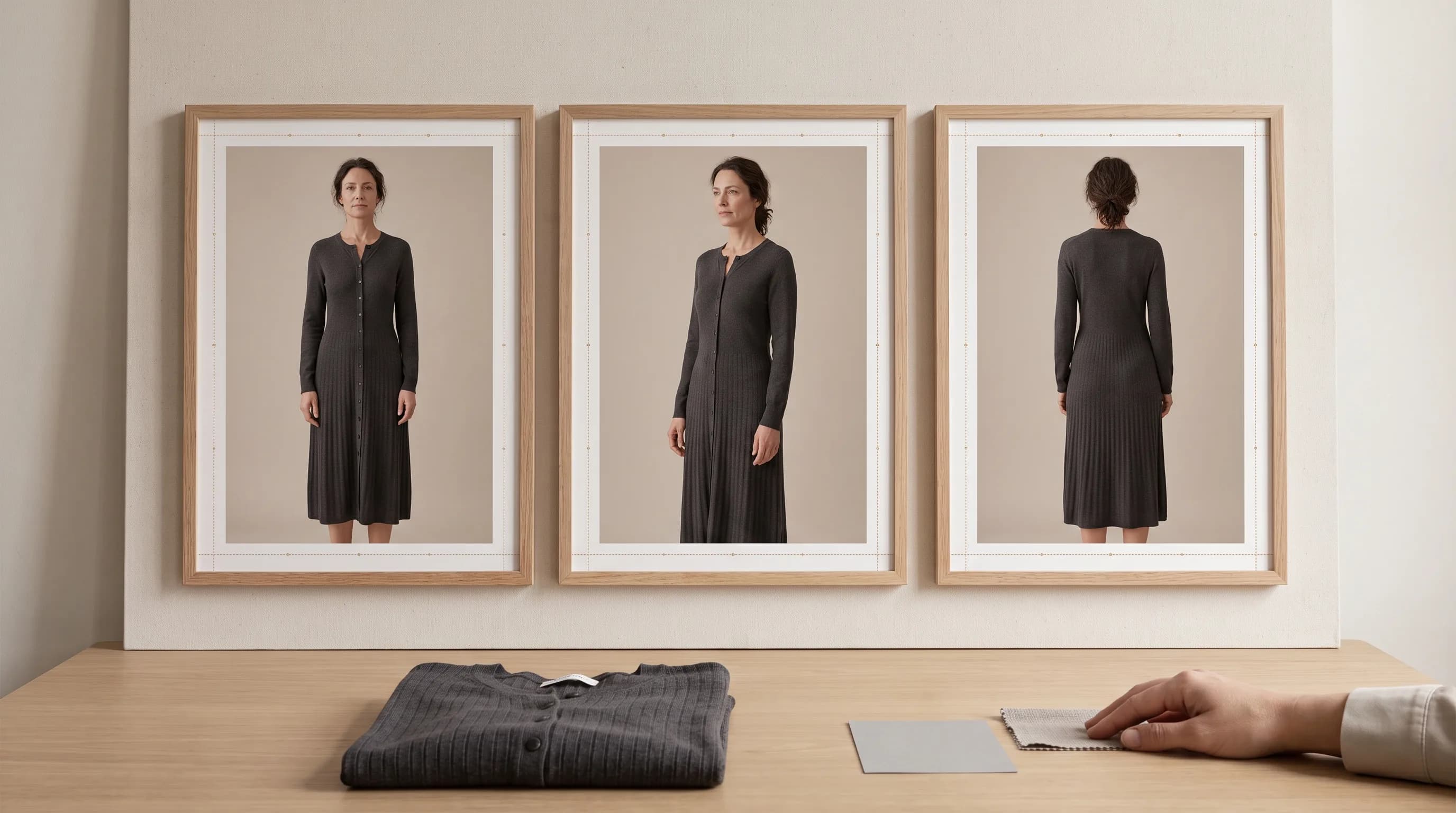
Zalando lists “inconsistent facial features, body proportions and skin tones across the same model image set” as an unacceptable AI distortion, alongside “details showing inconsistently across the image set”. The front crop, side view and back view of one dress must show the same person and the same garment, or the set can be rejected.
Generators drift between frames by default: the face changes slightly, the skin tone shifts, a pocket appears in one view only. Single good-looking frames don't pass this rule; consistent sets do. That's what an identity lock is for: approve one model reference, keep it for every view of the article, and review the views side by side. The method is in our fashion AI identity lock guide.
About You's managing director, Tarek Müller, made the commercial case at Zalando's Partner Day, as WWD reported. With real shoots, a model who sells might “move to Milan and you can't book them again … It's very hard to replicate what works. But AI is learning what works — and it can replicate it.”
Garment truth is the rule underneath all the others
Zalando's VP of content solutions, Matthias Haase, put it plainly: “The product itself is non-negotiable. Its colour, shape, proportions, texture and key details stay true.” He also named the failure: generative models “can sometimes infer details that are not actually there – a seam, a texture or even a pocket.”
Zalando says it is building its own “product truth” engine that compares generated content with the original product imagery.
Fabric is where DIY output slips
Zalando lists unnatural material behaviour as a distortion, and fabric is where DIY output most often slips.
"DIY often fails on fabric truth. Cotton, silk and plastic-looking synthetics read differently in a real photo; shoppers can tell."
The fix is a gate, not a better prompt
Add marking status and the Zalando spec check to the same review gate that checks the garment. The full checklist is our AI fashion imagery QC checklist, and why DIY output drifts is covered in garment fidelity. Here is how the gate runs at 8M Studio:
"After generation, an agent tool checks the garment against the reference — layout, logos, QC. If those are wrong, the image goes back for rework. Frames that pass go to our retouching partners for the final clean. Nothing ships until that retouch pass is done."
Specs still apply to AI files
AI files follow the same technical rules as photographs: 1:1.44 portrait, 1801 × 2600 px best practice, 762 × 1100 px minimum (1800 × 2600 px for designer brands), JPG, sRGB, 20 MB maximum, three compliant images for apparel, and no visible mannequins in mandatory views. A blurry file at the right size is still rejected. Plan the portrait crop when the image is made; don't letterbox a square master. The cross-channel matrix is in image guidelines by channel.
What Zalando's Partner Day said about AI cost and human review
At Zalando's Partner Day in Berlin in September 2026, About You managing director Tarek Müller said generative AI had sharply cut what About You spends on presenting products instead of photographing them, as WWD reported. WWD also reported that AI had begun raising About You's conversion rate as well as cutting cost.
Read that as one large retailer's in-house experience, as reported by WWD. It isn't a benchmark, and it isn't an 8M Studio result. Your own cost depends on how many frames pass first time; see first-pass acceptance rate. For published rates by shot type, see our product photography pricing guide.
Haase was also clear that people stay in the loop: “Maybe [what the AI selects] fits the trend, it fits the style but it just doesn't look good. That's where the human comes in and says, ‘out, out, out.’”
DIY vs managed for Zalando AI images
DIY can work, and for a handful of SKUs it's usually the better fit. The hard parts at volume are set-level consistency, garment truth, metadata that survives export, and keeping Zalando, Amazon and Google rules straight on one drop calendar. The table shows where each route fits, starting with the row where DIY wins.
| Question | DIY / in-house | Managed AI Catalogue Production |
|---|---|---|
| A handful of SKUs, fast | Better fit. A skilled in-house operator with a self-serve tool is usually quicker and cheaper for a few articles | Slower to start. A managed programme needs set-up and a brief |
| Model consistent across front / side / back | Operator holds the reference by hand | Locked identity reference per set |
| Garment truth vs the sample | A separate review step you staff | Accept / Rework / Hold before delivery |
| Invisible marking written + verified on final files | Your team runs ExifTool or your DAM | Part of channel delivery |
| Deepfake / labelling decision per route | Brand and counsel | Still brand and counsel. A studio doesn't make this call for you |
| Multi-channel exports (Zalando 1:1.44, Amazon, Shopify) | Operator homework per channel | Optimised to each channel's published rules |
| When it fits | Low volume, clear records, a strong operator | Recurring volume that needs one delivery owner |
For self-serve versus studio in general, read AI fashion tools vs managed production.
Decision guide
Work through these questions in order for each AI-generated or AI-modified image before it goes to Zalando. The first two decide whether the image should be supplied at all. The rest decide whether it passes Zalando's quality, label, specification and marking rules. Any failed step sends the frame back before upload.
- 1. Is the image AI-generated or AI-modified? If no → Zalando's normal image rules only.
- 2. Has counsel said this production route would legally need a visible label (for example as a deepfake)? If yes → don't supply it to Zalando.
- 3. Does any frame carry visible AI text, a badge or a watermark? → Remove it before export.
- 4. Do all views show the same model (face, skin tone, proportions) and the same garment details? If not → Rework the set.
- 5. Does the garment match the sample (print, buttons, logos, fabric)? If not → Rework.
- 6. Is each file 1:1.44, at least 762 × 1100 px (1800 × 2600 px for designer brands), JPG, sRGB? If not → re-export.
- 7. Is invisible marking written to the final file and verified? If not → mark and verify.
- 8. Selling on Amazon or Google Shopping too? → Add Amazon's keyword where a photoreal AI person appears, and keep DigitalSourceType for Google.
- 9. High volume and thin production records? → Route new production to AI Catalogue Production.
Where 8M Studio fits
AI Catalogue Production fits when AI on-model images for Zalando and other channels should arrive channel-ready instead of becoming your team's homework. Clients brief references, continuity and acceptance rules. The studio produces from mannequin, flat-lay or supplier inputs, holds one model across the set, runs garment-truth review and retouch, and delivers files built to each channel's published rules.
Channel rules as managed work
We can add invisible AI marking (IPTC DigitalSourceType metadata) to AI-generated files as part of channel delivery, and verify it on the final export.
"Brands shouldn't have to juggle Shopify vs Amazon vs marketplace image rules themselves. We already have the tools — and we'll keep building them — so we optimise the images to those channel rules for them, instead of leaving the brand to DIY it."
One governed pipeline
Custom AI Production Systems fits when marking rules, QC gates, identity continuity and multi-channel exports must share one governed pipeline. If the brief is a launch family rather than PDP volume, that is AI Campaign Production.
What 8M Studio is not
8M Studio is not a self-serve generator, not a Zalando service and not a law firm. Brands stay responsible for their listings, their partner agreement and their legal read. There's no rate card on this page.
The usual first call is a small or mid-size ecommerce fashion brand already selling well that wants managed production, or a photo studio adding AI that needs a production partner. UK brands are served remotely (for UK fashion brands); this page does not claim a UK office.
Next step: Book a production-fit call.
"We're an AI-native service business. We're not an app, and we're not a generic IT services shop."
Checklist before your next Zalando upload
Run this list before every Zalando drop that includes AI-generated or AI-modified images. It covers the legal decision, the visible-label ban, set consistency, garment truth, Zalando's specs and invisible marking, in the order a production team usually meets them. Keep the date you last read Zalando's live guidelines with the audit sheet.
- 1. Read the live Zalando image guidelines and the detailed AI content policy in your partner portal. Note the date.
- 2. List every production route and record counsel's deepfake / labelling decision for each.
- 3. Don't supply any route that would legally need a visible label.
- 4. Remove any visible AI text, badge or watermark.
- 5. Review each article's views side by side: same model, same garment details.
- 6. Check garment truth against the sample: print, buttons, closures, logos, fabric.
- 7. Check lighting, shadows and scale for plausibility.
- 8. Export at 1:1.44, at least 762 × 1100 px (designer brands 1800 × 2600 px), JPG, sRGB, 20 MB maximum.
- 9. Write invisible marking on the final file and run the “missing” check.
- 10. Send one test file through your real upload path, then keep the CSV audit sheet.
Not legal advice. Check Zalando's live partner guidelines and your counsel.
Frequently asked questions
Does Zalando accept AI-generated product images?
Yes, if they meet Zalando's normal editorial and technical quality bar. Zalando's partner guidelines say it can reject AI-generated assets that break believability, show irregularities or fail to represent the product accurately.
Why does Zalando reject AI-generated images?
Zalando lists three groups of unacceptable AI distortions: an inaccurate article (unnatural texture, patterns or material behaviour, mispositioned buttons, logo artefacts, details inconsistent across the set), an implausible setting (lighting, shadows, scale), and inconsistent model appearance (airbrushed skin, unnatural teeth, or face, body and skin tone changing across one set). Low-quality or unnatural AI images are also on its list of don'ts.
Can I add an “AI-generated” label or watermark to images on Zalando?
No. Zalando's guidelines don't allow visible on-image labels such as text overlays or watermarks. Mark AI files invisibly in metadata or with an invisible watermark instead.
What invisible AI marking does Zalando require, and by when?
Zalando's guidelines list invisible marking as “required by December 2026”. Partners must embed identifying data in the metadata or as an invisible watermark, and make sure it isn't stripped during upload. The page also says Zalando “strongly recommends” it, so the safe reading is to mark every AI file now.
Which metadata field should I use for Zalando?
Zalando's public guidelines don't name a standard. A practical choice is IPTC DigitalSourceType set to trainedAlgorithmicMedia, which Google Merchant Center already asks for, so one field serves both channels. Check Zalando's detailed AI policy in your partner portal in case it specifies a method.
Is an AI-generated model a deepfake on Zalando?
It depends on context, and it's a legal question for your counsel. Zalando asks partners not to supply content that would legally need a visible label, including deepfakes. If counsel says a production route would need one, don't send those images to Zalando.
Does the AI model have to look the same in every image of an article?
Yes. Zalando lists inconsistent facial features, body proportions and skin tones across the same model image set as an unacceptable AI distortion. Lock one model reference per set and review all views side by side.
Is this legal advice, and does 8M Studio handle Zalando AI images?
This guide isn't legal advice; it explains Zalando's partner guidelines as published on 12 October 2026. 8M Studio optimises AI catalogue images to marketplace and channel rules as part of managed AI Catalogue Production, and can add invisible AI marking to AI-generated files as part of channel delivery. The labelling decision stays with the brand and its counsel.
Evidence and sources
- Zalando Partner University — Zalando image guidelines - Page updated 1 October 2026. AI-generated content, visible labelling (required from August 2026), invisible marking (required by December 2026), unacceptable AI distortions, technical specs and rejection codes ACS 117 and ACS 123. Checked 12 October 2026.
- Zalando Corporate — How Zalando approaches AI-powered content: accuracy, customer value and human judgement - Interview with Matthias Haase, VP Content Solutions, 25 August 2026. Zalando's own content approach (product truth, invisible marking vs visible labels), not a partner rule. Checked 12 October 2026.
- WWD — The big topic at Zalando's Partner Day: what AI can and can't do for fashion - 26 September 2026, Cathrin Schaer. Tarek Müller (About You) and Matthias Haase at Partner Day in Berlin. One retailer's figures as reported, not a benchmark. Checked 12 October 2026.
- European Commission — Transparency obligations under Article 50 AI Act (FAQ) - Applies from 2 August 2026; deployers disclose deepfakes visibly; 2 December 2026 grace for providers' machine-readable marking only, for systems on the market before 2 August 2026. Verified 2026-10-08.
- Google Merchant Center Help — AI-generated content - Generative-AI images carry IPTC DigitalSourceType (for example TrainedAlgorithmicMedia), which must not be removed. Cited as a field Google already asks for, not a Zalando requirement. Verified 2026-10-08.
- ExifTool by Phil Harvey - Free metadata tool used for the commands on this page (tested with ExifTool 13.59 on 2026-10-12).
Continue the decision
Keep the garment true and the marking invisible
Keep the garment true, keep one model across the set, keep labels off the pixels, mark the file invisibly and check the marking survives upload. If you'd rather receive Zalando-ready AI catalogue images than run that workflow yourself, book the call below to scope managed AI Catalogue Production.